With the cost of energy and impact on the environment, the idea of a clothes dryer that senses moisture and adjusts accordingly is simple yet brilliantly innovative. Not only will there be reductions in your energy bills and carbon footprint, but the shorter drying times will certainly help make your day go more smoothly. There are several ways that these dryers detect moisture. The first way is simply by measuring the temperature. The idea is that, when dry, the temperature will rise to a certain point, which the dryer takes as its cue to shut off. While this can be an effective solution in many cases, it can be unreliable depending on the load contained in the dryer, since smaller loads may allow the temperature to rise before becoming completely dry. The second way is just as simple and works by weighing the clothes. Moisture has mass so wet clothes are heavier than when they’re dry. After the weight reaches a certain point, the dryer shuts off. However, while the dryer weighs the clothes beforehand, it doesn’t particularly have any way of knowing how heavy the clothes are when dry. That means a false estimation of the weight when dry could possibly cause the dryer to end its cycle prematurely or continue it longer than needed. The final and most reliable moisture detection system is more complicated. Put simply, it works by sending an electrical current through the clothes and measuring the level of resistance. The reason this works is because water is a good conductor of electricity, so the wetter the clothes, the easier it is for a current to pass through them. This is currently the most effective method because it senses moisture in a much more direct way than the other two. This is still not foolproof as different fabrics can still conduct electricity differently and confuse the sensor. However, even when the dryer has determined that the clothes are dry, you can typically specify an additional amount of drying time to make sure. With a little bit of time and experience with your moisture sensing dryer, you’ll be able to find out what amount of additional drying time works best for your wardrobe.
Author: ritchiebl
Irons vs Garment Steamers
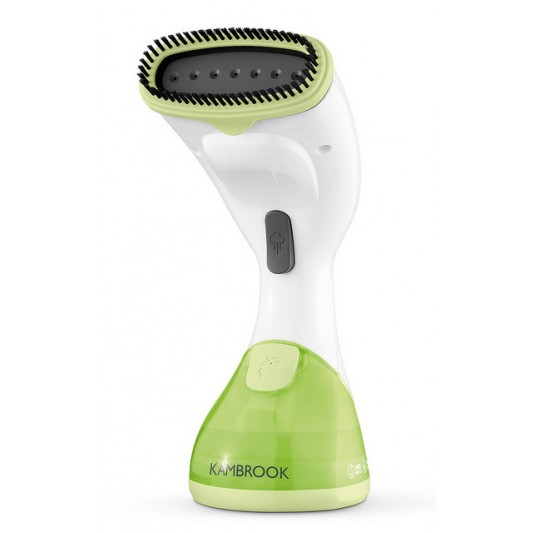
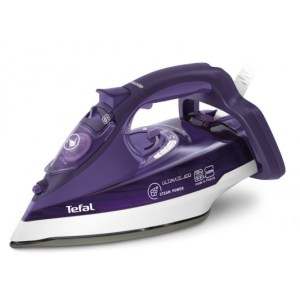
Looking great is just as much about keeping your clothes neat as it is about choosing the right wardrobe.
But getting your garments to look just right can be a tricky process for many people. While the debate between irons and garment steamers rages on, it still seems to be that either of them can work better for different people.
You’ve no doubt seen how irons work: a high temperature surface is applied to clothes on an ironing board, which flattens them out. Steamers, as their name suggests, deliver steam to the fabric, softening the threads to loosen creases and folds.
While ironing has been a time tested method for decades, one major problem with it is that the combination of heat and force applied to the fabric ends up damaging it. Over time, you may notice fraying and fading in the fibres, leading to a somewhat ‘fluffy’ feel to your garments.
As steamers take a more gentle approach to easing out creases, clothes last longer. Further, irons require a bit of skill to get clothes looking right. Many people find that ironing can be a very tedious and time-consuming task, whereas steaming is only slightly more complicated than pointing at creases.
Another big advantage of steamers is that their functionality isn’t just limited to garments. Since they don’t need a flat surface to work, you can apply them to curtains, cushions and any other fabric product. As a bonus, the steam is quite effective at disinfecting surfaces. This is not to say ironing has nothing over steaming.

While a quick steam will make any garment look presentable, a little bit of skill in ironing can make it look stunning. This is particularly true with garments that require clearly defined creases in certain places, such as men’s dress shirts. Due to garment steamers not having a defined edge, these little touches aren’t possible. Even more, an iron is far more effective on stiff areas such as collars and cuffs.
Overall, those who live life on the go will likely prefer a garment steamer due to its simplicity. But for those who just have to look their best, an iron is irreplaceable.
Choosing the Perfect Coffee Machine
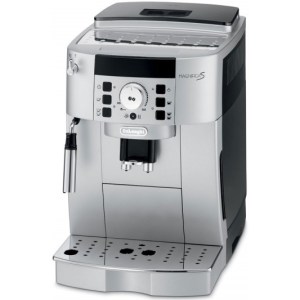
With coffee displacing tea as Australia’s pick-me-up of choice, it’s no surprise that coffee machines are becoming more and more popular in Australian homes.
Choosing one that’s right for you can be a confusing task with the huge range available. Perhaps the biggest decision to make is whether to go with an automatic or manual machine.
The benefits of an automatic machine that it’s easy to use, consistent and quick. And does it ever come in handy for that round of coffee and cake after a dinner party! Automatic machines let you wow your guests with ease and let you get back to being a good host as quickly as possible. If you consider yourself a real coffee aficionado, however, an automatic machine is as much a heinous crime as wine in a box is for wine lovers.
A manual machine and a little bit of artistry can make a truly mind-blowing cup of coffee to make your day and impress absolutely anyone.
One recent innovation in coffee machines is the introduction of pod machines. These machines combine the best worlds of automatic machines and gourmet flavours. Using one is as easy as inserting a pod into the machine, pressing a button and enjoying some world class coffee.
Further functionality is best determined by how a good cup of coffee fits into your lifestyle. Those who need to dash out the door early in the morning will certainly appreciate a machine that accommodates a thermos, while those who like to leisurely sip a few cups over the morning news may enjoy a machine with warming trays to keep their hot coffee hot.
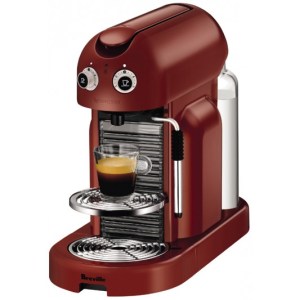
Finally, taking your décor into consideration will be an important step in choosing a coffee machine. Even if you don’t care how it looks, coffee often serves as the grand finale to a dinner party and as such, the coffee machine itself needs to impress. Many people agonise over the perfect machine to be the focal point in the kitchen or dining table as much as they would over carpets and curtains. Thankfully, most manufacturers are well aware of this fact and an ugly coffee machine is a rare find – you definitely won’t find one in our stores, at least!
Coffee machines aren’t like other appliances where only one or two features are most people’s main deciding factors. Indeed, everyone likes their coffee a certain way and finding the perfect machine is less about “bigger and better” and more about making it a truly personal choice.
What is a Media Player?
These days, just about every kind of media we consume can be stored digitally. Where photos, music and video previously each had separate storage and playback devices, the information age now lets us enjoy all of them on anything with a screen and speakers. Enter the media player. Media players are essentially external hard drives equipped with the software to play or display image, audio and video files through your television. What this means is that it’s possible to enjoy all your digital-based media files from the comfort of your couch, or to bring an entire library of films and music wherever you go and be ready to set up wherever there’s a television. Commonly, they include additional USB ports for playing files from other external hard drives so friends coming over can easily share from their own library. Additionally, some are capable of connecting with your home network, letting you stream files directly from your PC to the media player or even browse the internet. A great feature of many media players is the ability to record programs from your television in high definition format. This is an essential feature for anyone who needs to catch up with their favourite shows but just can’t be home in time. Others may include a variety of fun features such as a digital camera or a karaoke system. An additional option is the portable media player. As the name implies, the main draw of this category is the ability to indulge in digital entertainment literally anytime and anywhere. While it’s true that that even mobile phones can play audio and video files now, dedicated portable media players will typically support a wider variety of file types and offer superior playback quality. Overall, the intention behind the media player is to be able to combine all the various types of media playback devices in the home into one and replace them all. From the stereo to the DVD or Blu-ray player and even the projector, this device is built on the rationale that no one household needs that many devices in this day and age.
Tips to Keep Your Home Cool
Even though the calendar says summer is over, we all know the warm days aren’t entirely behind us just yet. In Australia, we’re well aware of how hot things can get and how much home cooling can cost. There are some simple things you can do, however, that will make the summers to come that much more bearable.
Close your curtains and blinds
This is a classic that everyone should be doing. Keeping your curtains and blinds closed during the day can make a huge difference to the temperature inside your house. By reflecting the sun back out, your house will heat up much more slowly and make coming back home after a hard day’s work a much more pleasant experience. This works even better if you have awnings or trees to block the sun before it even reaches the window.
Watch the humidity
Humidity plays a big part in how we perceive the temperature, as it affects how effectively sweat cools us down. Limiting the activities that introduce moisture into the air is an essential part of maintaining a pleasant atmosphere in your home. Although things such as using a washing machine or dryer, cooking, or ironing won’t usually raise the temperature in your house by much, the steam they create will certainly make it feel several degrees warmer. If you do a lot of these activities, using a dehumidifier can help to keep the air moisture levels in check.
Only use what you need
Even appliances that don’t generate steam still generate heat. Everything from game consoles, televisions and computers to lights will make a difference to the temperature and this is a particular problem in many living rooms with a large number of entertainment devices. That’s why it’s a good idea to turn these all off when you’re not using them.
Check your thermostat
If you have a home cooling system that keeps the house at a constant temperature, try to remove any influences around your thermostat that may give it a false reading. If there are objects near it that generate an unusual amount of heat or cooling in comparison to the rest of the room, the temperature can read as hotter or colder than the room really is. The result is that the system works too hard or not hard enough to maintain ideal conditions.
Congratulations to Our Microwave Giveaway Winners
We sure had some tasty entries for our competition to find Australia’s best and most convenient microwave recipes! Thank you to everyone who shared their microwave recipes. It was definitely a challenge for us to pick only three. Congratulations to each of the three winners: Cristina Arganese, Helen, and Anna Cotter. You’ve each won a Panasonic 27l Microwave! Check out the delicious winning entries below.
Microwave Salmon o Leekie
Entered by Cristina Arganese Serves 2 1 leek, finely sliced 500 ml vegetable stock 250gm basmati rice 300 gm salmon fillet, cut into chunks Finely grated zest of lemon and juice Handful parsley Put leek into a large microwave dish with 4-5 tablespoons of the vegetable stock. Cover with cling wrap, pierce the plastic with a knife. Microwave on high for 5 mins. Uncover the dish. Stir in the rice and remaining stock into the leek mixture. Recover with cling wrap (pierce the plastic again). Cook for 13-15 mins, stirring half way through, until rice is cooked. Add salmon, cover again. Cook for another 5 mins. Stir in parsley and lemon juice and zest. Let stand for 5 mins before serving.
Microwave Plum Pudding
Entered by Helen 1 400 gram jar of fruit mince (from any supermarket) 250 grams brown sugar 250 grams self raising flour 3 eggs – beaten 150 grams marmalade 1/4 cup of sherry or brandy 120 grams chocolate melts 1 tablespoon mixed spice Mix all ingredients together. Line a microwave proof bowl with baking paper. Pour in mixture and cover top with baking paper. Cook on medium for 20 minutes. If skewer doesn’t come out clean cook for 5 minutes more. I cook this often, putting it in the oven just as I serve the main course. Serve with cream, custard or icecream.
Microwave Golden Syrup Pudding
Entered by Anna Cotter 2 tablespoons golden syrup 90g plain flour 2.5 teaspoons baking powder 2 large eggs 125g caster sugar 125g butter, softened In a 1-litre microwave safe mixing bowl, add the golden syrup, turning to coat the bottom and sides of the bowl. In a separate bowl, place the remaining ingredients and beat well for 2 to 3 minutes. Spoon the mixture on top of the syrup and spread evenly. Cover loosely with glad wrap and cook in the microwave on high for 5 to 6 minutes. Remove and sit for 5 minutes. Turn out onto a warmed plate and serve hot with hot custard and extra syrup and fruit. YUMMY! My kids LOVE it 🙂
How Do Frost-free Fridges Work?
For many of us, defrosting a refrigerator or freezer is still a fairly vivid memory. Whether you removed the build-up of ice via melting or chiselling, it’s always an annoying and time-consuming task. While it may seem counter-productive to have a heater inside a fridge, frost-free fridges use this relatively recent innovation to help eliminate this problem. Frost forms in a fridge because the moisture in the air condenses against the cooling coils and then freezes. The more frequently the door is opened, the more moisture is let in and the faster frost builds up. As it accumulates, you’ll quickly find less and less space is available to store food. In a frost-free fridge, the solution is simple. That is, periodically raise the temperature to melt the ice. The execution, however, is slightly more complicated. For a frost-free system to work, a fridge needs a heating coil, timer and temperature gauge. The timer starts the heating coils typically every 6-12 hours to start the process. Since the rate of frost accumulation can vary depending on how much moisture is allowed in during that period, the temperature gauge is there to ensure the heating coils turn off just as all the defrosting is completed. If it was determined by the timer and stayed warmed for a set period, it becomes likely that frost builds up faster than it can be eliminated, or the fridge be heated for longer than necessary. All the liquid water from the melted ice then gets drained to an evaporator tray to dry up, typically located at the bottom or back of the fridge. Occasionally, this drain can itself become frozen, causing the water to pool at the bottom and freeze over again. Left unchecked, this can be just as big a problem as normal frost, though most fridges will come with tools to easily correct the situation. It’s also worth noting that a frost-free fridge regularly raises the temperature slightly above 0°C by necessity. This means that the cabinet, especially areas closest to the heating coils if food isn’t properly stacked, will go through cycles of relative warmth. For most foods, the effect is negligible but it’s always worthwhile to arrange the contents of your fridge to facilitate the flow of air within. Some frost-free fridges try to mitigate this by installing a fan which blows moist air out, meaning slower frost build-up and less heating time.
Great Reasons to Own a PC Tablet
The PC tablet is the latest innovation in consumer computers. As many laptop users make the switch to a PC tablet, the primary reasons are increased portability and user friendliness. What exactly is it about this emerging device that makes it excel so much in these areas? Accessibility With no keyboard and more efficient use of hard drive space, PC tablets are much smaller and lighter than most laptops. The most important outcome of this fact is that not only can you take them anywhere, you can easily use them while on the move. Whether waiting for a train or walking down the street, the efficient design of a PC tablet means it’s accessible anywhere. Battery Life Again an effect of efficient hardware and software design, PC tablets feature a fantastic battery life, with most of them claiming in excess of seven hours of usage from one charge, with some of the better ones boasting up to twelve hours. In contrast, most laptops are lucky to last five hours. Functionality A common feature from PC tablet manufacturers is an online marketplace where hundreds of both free and paid applications can be downloaded and installed within seconds. The advantage here is just how amazingly easy it is to customize your PC tablet to suit your needs. No fiddling around with CDs, serial keys and registration. Most of the time, you need only search for what you want on the marketplace, click install and it’s done faster than you can read this article. Uninstalling is a breeze, too. Interactivity If you’ve ever tried to draw with a mouse, you know exactly how natural it doesn’t feel. The touch screen is a standard feature of the PC tablet and provides a direct method of interacting with what you see on your screen instead of through peripheral devices which are often clunky and counter-intuitive. While PC tablets will likely never surpass desktops in terms of raw power, they were made for one thing: to make computers more mobile than ever before. In that regard, the PC tablet definitely does its job with everything you need and nothing you don’t.
How Do GPS Navigators Work?
For thousands of years, humans navigated their way around the earth by the sun and the stars. Today, with all the benefits of modern technology, we still look to the sky for direction. From its first iteration in the military to making driving easier for people all over the world, GPS navigation is a great feat of modern ingenuity. Far beyond the range of the naked eye, there are a couple dozen satellites zooming around above our heads. Whenever your GPS navigator is turned on, it’s constantly receiving radio signals from these satellites in order to figure out its current position on the earth’s surface. The way it does this is called ‘trilateration.’ A GPS navigator needs at least three signals from different satellites to calculate its location and at least four to calculate altitude. This is because each satellite is programmed to send out signals at regular intervals. Your GPS navigator already knows when these signals are supposed to be sent out and where in their orbit each satellite is supposed to be at any given time. Knowing how fast the signals travel, the GPS navigator can use the time difference between the signal being sent and when it was received to calculate how far away it is from that particular satellite. So, with your GPS navigator knowing how far it is from one satellite, there’s a whole circle along which it could possibly be. A second signal from a different satellite narrows it down to two points and a third signal eliminates one of them. At last, you get down to a single point on the earth where you can possibly be. As for the maps and street information you use to get around, all that data is already loaded onto the device and simply gets cross-referenced with your geographical position. This process is extremely precise, though. Since it all relies on radio signals which can be blocked, bounced or otherwise affected by the atmosphere, your GPS navigator can get confused depending on the weather or large structures getting in the way. Luckily, while even an error of the smallest fraction of a second in the timing calculation can cause a difference of many kilometres in the final readout, we are typically in view of more than three satellites at any one time, which your GPS navigator cleverly uses to gauge inaccuracies. All this great technology adds up to you getting where you need to go! We think that makes a GPS navigator a pretty good investment.
Inkjet vs. Laser Printers
When you’re trying to get something from your screen onto a piece of paper, choosing the right printer is an important decision that depends on many factors. Two of the most common types are inkjet and laser printers and between the two of them, the vast majority of us will find whatever we need. But first, what’s the difference? As the name implies, an inkjet printer works by shooting little drops of ink onto the paper. A laser printer, on the other hand, is somewhat more complicated. The (very) simple version is that a laser attracts toner according to the image to be printed, which is then fused to the page via heat. With that covered, how do you choose between them? The factor that many people consider most important is price. Generally speaking, while both types are comparable in initial price, the costs after buying a printer are more important. It’s well known that the cost of ink and toner will be the bulk of your printing costs over time. In this regard, toner is typically more expensive, but will print more pages. However, if you only intend to print in black and white, laser printer costs per page will be marginally lower. For those among you choosing a printer for a business environment, print speed and quality will be important as well. Once again, the difference comes down to whether your printing is in colour or black and white. Not only will inkjet printers tend to be slower and lower quality than their laser counterparts in black and white, each page will need some time to dry before handling to prevent it smudging. The most important thing is that you do your research and really consider your printing needs, especially colour vs. black and white and occasional vs. frequent printing. A family which prints occasionally but for any number of reasons may consider an inkjet to be best due to its versatility. A business, however, is much more likely to do the same type of printing frequently and so may consider an affordable laser printer for black and white, or a high-end one for colour.
 The Bing Lee Blog