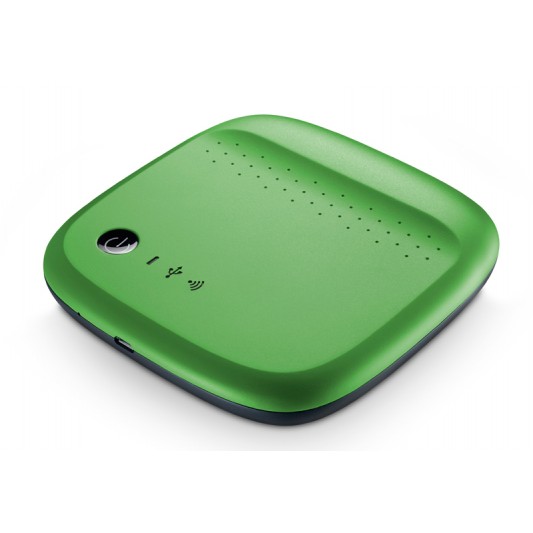
SEAGATE Wireless Mobile Storage Device

https://www.youtube.com/watch?v=m_oUPRXnCXU

If you’re like a lot of people these days, you love your mobile devices, and of course you take them everywhere. Naturally you’ll pack it full of your favourite movies, music, photos and videos. Maybe your device needs a little help if it’s struggling to handle all of that content. The Seagate Wireless mobile storage device is here to help.

It’s a battery powered, wireless hard drive for your smartphone or tablet, which can be loaded up with everything you’ve got. The Seagate wireless holds hundreds of movies and thousands of photos and music tracks. With 500 gigabytes of capacity and a six hour battery life, you don’t have to worry about maxing out your device’s storage capacity or your data usage plan.

The Seagate wireless creates its own wi-fi signal so there’s no internet access required, so you can stream totally different content to three different devices, all at the same time. Seagate Wireless is compatible with heaps of systems including Android, iOS, airplay, chromecast and even Windows 8, which means you never have to leave anything behind.

So if you’re on a road trip with your family, you could have two different brand or type of tablet in the car and still have them connect to the Seagate Wireless for a mobile entertainment system to keep the kids distracted for hours.

You can also use your Seagate Wireless to back up any new content while you’re on the go, providing additional peace of mind for any new files you create.

So let’s see how this all works. First, connect the Seagate wireless drive using the supplied USB cable to your PC and drag and drop the files you want to take with you. It’s just like transferring to a standard hard drive.

On your mobile device, go to the Apple store or google play and install the Seagate Media app. Charge up your Seagate wireless drive, press the power button and wait for the wifi light to turn solid blue. Look for the Seagate Wireless access point on your mobile device’s wi-fi set up page and connect to this network. You are now connected and able to stream from the Seagate wireless.

Open the Seagate Media app and you’ll be able to see the media files that you can then stream, and remember three different devices can do this at once. The Seagate media app is actually a very useful file transfer app as well. You can upload files from your phone to the Wireless Drive, you can also download from the drive if you want to have it on your mobile device.

As you can see, with the Seagate Wireless drive, you don’t need to pick and choose what you can take with you on your business trip or holiday. Take it all, and share it with your friends and family.
DELONGHI Heating Solutions

https://www.youtube.com/watch?v=3Ae77i2WupQ

During the cooler months of the year, it’s good to know Bing Lee and Delonghi has you covered when it comes to keeping you and your loved ones warm. Here are three great choices for keeping your family comfortable during winter.

This two thousand four hundred watt oil column heater features thermal slots within the fins that are designed to increase heat distribution through convective air movement, and the lower surface temperatures increases safety.

To really warm your room up quickly, this heater has a booster fan to increase heat distribution uniformly through your living space.

The 24 hour timer is easy to program to make sure you have a warm room when you need it most. And there’s no need to pick this heater up, just roll it into position with the pre-mounted castors that require no assembly. Just unbox and warm up!

Delonghi’s ceramic tower heater is great for personal heating, with a high end electronic look, soft touch control panel and variable heat settings to customise your heating needs. This heater has been styled in an extremely modern and sleek way. Its slim and very small footprint ensures space saving where you don’t have lots of room but need good heating.

The eco plus function delivers the correct level of comfort by regulating power flow and temperature levels. This feature optimises energy use, helping you manage power consumption and electricity bills.

This tower features a motor-driven swivelling structure, to distribute warm air to more parts of the room quickly and efficiently. There’s also an electronic tip over switch that turns off the appliance if the unit falls over accidentally, while it maintains the previous settings you’ve entered.

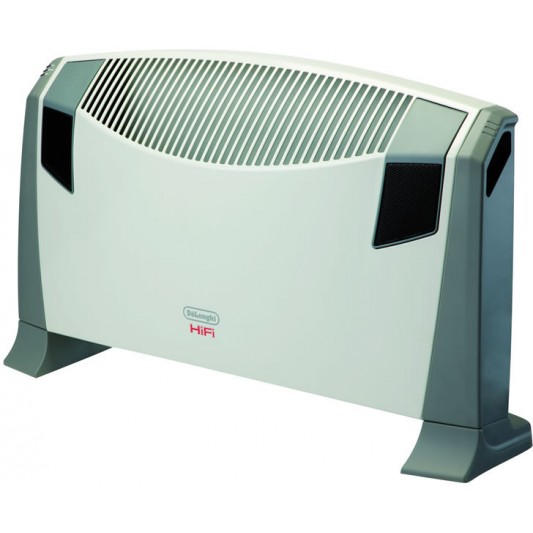
Finally, Delonghi’s convection heater with timer features a double fan system that more effectively distributes heat throughout the room. The enlarged grill area assist with the heat being delivered to a wider area.

This panel heater includes wall mounting brackets so you can fix it to a wall, or it can remain freestanding. It’s compact, slim design helps it to integrate nicely to your home’s decor, and features a room thermostat to automatically keep the desired temperature.

Like other Delonghi heating products, it features a twenty four hour timer, selectable heat settings and automatic tilt cut off switch.

That’s just some of the Delonghi heating products available now, keeping you and your family warm in the winter months.

DYSON AM09 Hot and Cool Fan Highlights

https://www.youtube.com/watch?v=b_ToNmOjUb0

Six years ago, Dyson engineered a new solution to the old problem of conventional electric fans by developing patented Air Multiplier™ technology. This meant that Dyson Cool™ fans could deliver powerful air projection without any fast-spinning blades or dusty safety grille guards. Since then, Dyson engineers have been relentlessly improving Air Multiplier™ technology in their range of fans and fan heaters, and there’s has been an exciting new development – Dyson Hot and Cool™, now with Jet Focus technology. Launching the AM09 fan heater – it is Dysons’ latest and quietest fan heater yet.

Dyson Hot and Cool fan heaters are fast to heat the room evenly. When you come home from the cold, you need to be warmed up quickly. The new Jet Focus technology allows you to choose between personal mode for long range powerful airflow or diffused mode for wide projection to circulate the surrounding air. That means you can select the heater to not only heat the whole room, but it would heat you personally too.

You can easily select the desired setting using the remote control. Here’s how Jet Focus technology works in the new AM09 fan heater. When you select personal mode for personal heating, air is drawn in by an energy-efficient motor and directed around the loop where it is heated by PTC ceramic plates.

Warm air is powerfully accelerated from the rear aperture; where airflow is channelled into a long-range jet of heat to warm you. In diffused mode, a jet of air is also released from the second aperture at the front, and as the two jets of air meet, the airflow is guided over a 45 degree projector, creating a wide stream of powerful airflow to reach across the room.

Whether you are heating just you, or the whole room, the AM09 fan heater offers precise, energy efficient heating up to 37 degrees Celsius. It uses an intelligent thermostat to reach and maintain the target temperature, reducing any wasted energy. Plus, with a touch of a button, you can easily switch to cooling mode – so you can use the Dyson Hot and Cool fan heater all year round, no matter the weather.

Now, not only can the new AM09 fan heater heat and cool the room quickly and evenly, it’s does it quietly. In fact, the latest Dyson Hot and Cool fan heater is 75% quieter than its predecessor and the only fan heater to be awarded the Quiet Mark accreditation – an international mark of approval. The quiet operation plus the new sleep timer feature makes it perfect for night time use, as you can programme the machine to turn off after 15 minutes or at a pre-set interval up to 9 hours.

So, don’t wait till it gets cold, get ready today. The Dyson AM09 fan heater has fast even room heating, powerful cooling, and now has Jet Focus control. To find out more about the new Dyson Hot and Cool fan heaters, visit the website or drop into your nearest Bing Lee store.

RINNAI Avenger 25 Plus Gas and Electric Heating Highlights

https://www.youtube.com/watch?v=SmrOSXYCQ1M

There is no way to sugar coat this – winter is here and if you want to stay warm, a portable gas heater might just be the thing to keep you toasty inside while it freezes over outside.

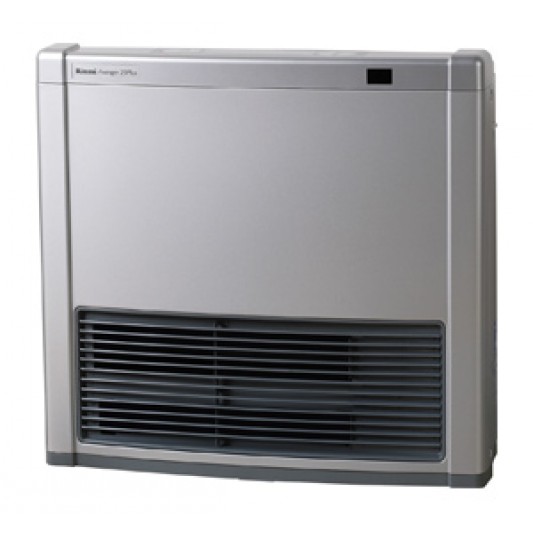
Today we’re looking at the Rinnai Avenger Plus. It even has a hot name! This model is available in two colours, in white or platinum silver, so you can choose either depending on your home decor. There’s also a choice between natural gas and bottle gas, so even if you don’t have a gas outlet in your home you can still take advantage of its great heating performance.

So lets have a look around the heater. At the front we have the louvre where the warm air comes out – now remember this is not like a radiator, you don’t need to be in front of it to get warm, the whole environment will steadily become more comfortable.

Here there’s the carry handles that you can use to easily move this to another room if you need to. Here’s the control panel that gives you all the information you need to make your family nice and warm.

Looking at the back here, there are three filters to make sure the air being sucked in is as clean as possible when it’s recirculated through the room via the front lourve. The thermistor here helps monitor the temperature and compares it to the ideal temperature that you’ve selected and continually adjusts performance and power use so it’s both effective and efficient.

Now you might have noticed this black little window here, this is the remote control that gives you a few basic controls from the comfort of your lounge – you can power or shut down the heater and adjust the temperature setting to suit your own level of comfort.

Now this heater is perfect for large, open areas, and here’s a fact that I only just found out but kind of makes sense – as a room is warmed, the walls and ceilings are also warmed, which makes you feel even warmer even though the temperature is around the same. This Rinnai can take advantage of this by selecting an economy function that prevents overheating a room and helps save energy.

You were perhaps wondering about the “plus” in the name – the plus is very important! To get an extra boost of heat on those really cold nights, you can activate the electric mode which turns on an electric element that superheats your space. Using the control panel you can choose how the electric element kicks in – if you’ve run out of gas for example, you can use it in just electric mode. But if you want to get your room heated up quicker to the desired temperature, you can use one of the gas electric modes.

Now the other thing I should mention is they’ve thought of the busy family as well. During weekdays you may only need the heater on at night, but for longer periods over the weekend when everyone is home longer. The Avenger Plus has dual programmable timers so you can have the weekday timer at say 6pm to 10pm, and the weekend timer at maybe 3pm to 7pm.

Once you’ve punched it in, the heater can be fully automatic and turn on and off every day of the week and weekend without further interruption. But you can always override the timer if you are at home for manual control.

Here’s another feature I really like, called the pre-heat mode. If you have a timer programmed in, the heater actually starts looking at the temperature of the room an hour before the heater is due to start, and makes sure the room is actually at the desired temperature at the programmed time. How cool – or hot! – is that?

So come on in to your nearest Bing Lee store or purchase online now!

Netgear Arlo Home Security Highlights

https://www.youtube.com/watch?v=ZC_dZYsMx68

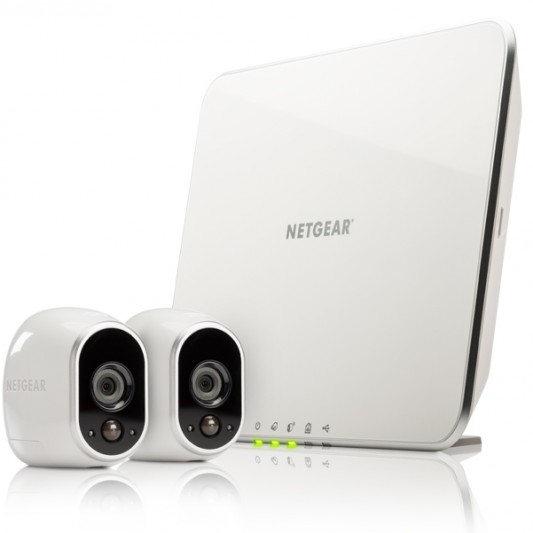
Arlo is the first and only smart home security system with crystal clear HD video and one hundred percent wire-free cameras which can be used indoors or outdoors. Arlo is easy to use, and can be installed in under 10 minutes.

Let’s go through the quick and easy installation. First connect the base station to your router using the ethernet cable that comes in the box. Then connect the power adapter and turn the base station on. Download the Arlo app by searching for Arlo in the App Store for iOS or Google Play for Android.

Launch the app and create your arlo account for secure access to your cameras and follow the on screen instructions to complete your account setup.

To get your cameras working, first insert the batteries, then bring your cameras within one meter of the base station.  Press the sync button on the side of the base station and wait for the sync status LED to blink green. Hit the sync button on top of the camera until the blue LED blinks. If sync is successful, the blue LED will blink rapidly. Now you’re ready to place them wherever you need them.

Since Arlo cameras are one percent wire free, and indoor/outdoor friendly, they can be placed almost anywhere inside or outside your home. Arlo cameras have a flat base so they can be placed on a flat surface, like a bookshelf, or mounted to the wall using the magnetic camera mount.

The supplied magnetic wall mount can be secured using the provided hardware. For the best motion detection performance, it is recommended to place your cameras at least 2 metres above the floor, aimed slightly down. A helpful tip for aiming your cameras is to use the position mode found in the camera settings tab of your Arlo app. It lets you to make near real time adjustments to your camera’s position while watching your video feed.

Before finalising your camera placement, just check your Arlo app to make sure your cameras are in range and have good signal strength as seen here.

You can set rules for each camera – to activate when motion is detected, to record for a preset amount of time, and an alert to a selected email address. That way you will be notiified whenever an event that might need your attention occurs.

Arlo includes cloud video storage and the ability to share your cameras clips with others. The library is where all your recordings are kept. To see clips from a particular camera, tap on the green shortcuts square in the top left corner of your camera view. To see all clips, tap on the library tab. If a date is highlighted on the calendar, that means there is a recording on that day. Simple.

To view a video, simply select the date of the recording and choose the video. You can also manage various videos all at once. From the library page, tap select and highlight the clips you want to manage. Selected videos can be shared, downloaded, deleted or marked as favourites.

To share your camera and recorded clips, you’ll need to set up friends. Go to settings, friends and then add new friends by tapping the plus sign. Your friends will only see the cameras that you share with them. And don’t worry, you can always change your friend’s access at any time.

As you can see, the Arlo Smart Home Security pack is a flexible and powerful in home camera solution. And with no cords or wires, there’s no worries.

Samsung Galaxy S6 and S6 Edge Highlights

https://www.youtube.com/watch?v=rPPCBFv78Zw

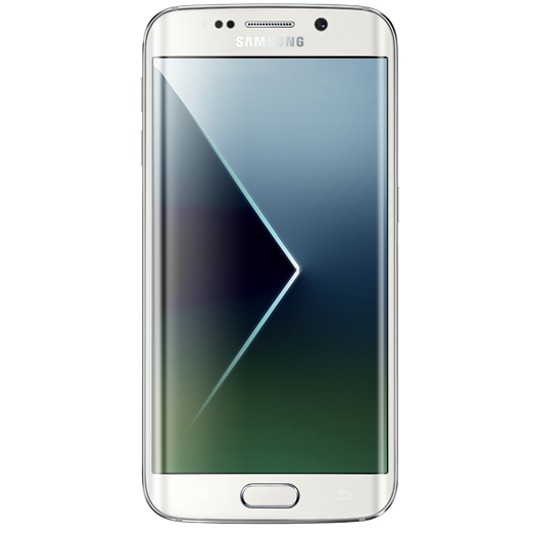
Today we’re showing you Samsung’s entirely redefined smartphones, the Galaxy S6 and Galaxy S6 edge. Creating a new standard for design and performance, the Galaxy S6 and Galaxy S6 edge seamlessly blend premium materials with the most advanced Samsung technology yet.

Carefully crafted from metal and glass, the Galaxy S6 and Galaxy S6 edge blend a premium and stylish design with powerful features. The Galaxy S6 edge delivers a solid grip and an immersive viewing experience with the world’s first curved display on both sides. Its glass body is made from the toughest glass to date, Gorilla Glass 4.

The Galaxy S6 and S6 edge is matched with a totally revamped and lighter interface that makes it easier to use. The Touchwiz with Lollipop operating system simplifies applications and offers features and settings in a more intuitive way.  Swiping the edge of the S6 edge checks for calls and notifications from your loved ones. It also makes staying connected via email, messages or social feeds simple and accessible.

For those that love taking pics, the Galaxy S6 and Galaxy S6 edge are equipped with a vivid, bright and fast front and rear camera. The F1.9 lenses and high resolution sensors on both the five megapixel front and sixteen megapixel rear cameras provide brilliant images in a smartphone, even in low light. In addition, Auto Real-time High Dynamic Range and Smart Optical Image Stabilization provide more natural white balance and colour tones as well as sharp images.

A new “Quick Launch” feature give users fast, direct access to the camera from any screen in just 0.7 seconds* by simply double clicking the home key button. These advanced camera functions help users to capture their most precious and personal moments in both spontaneous and planned situations.

The Galaxy S6 and Galaxy S6 edge also work with any wireless pad available in the market that supports the common WPC and PMA standards. They have incredibly fast wired charging, providing about 4 hours of usage after only 10 minutes of charging.

Samsung’s world-first 1440P hardware based decoder lets users enjoy high resolution streaming video while also using less power, maximising the battery life. The 5.1-inch Quad HD Super AMOLED screen offers users a screen with pixels virtually indiscernible to the naked eye. Enhanced outdoor visibility with a brighter display lets consumers experience content without compromise, be it videos, images or text, anywhere, at any time.

That’s the new Samsung Galaxy S6 and S6 Edge – fashionable, powerful and personal.

Dyson Cooling Range

https://www.youtube.com/watch?v=lojnCY-ta1s

Five years ago, Dyson reinvented the conventional electric fan by developing patented Air Multiplier technology to get rid of those unpleasant, buffeting blades. Since then, Dyson engineers have been relentlessly improving Air Multiplier technology and, 650 prototypes later, they’ve developed even quieter and more energy efficient fans – introducing the AM06 desk fan, AM07 tower fan, and AM08 pedestal fan.

The new Dyson Cool fans have been engineered to be quieter – up to 75% quieter than the previous generation, and use up to 40% less energy – yet still generate powerful airflow. To lower noise levels, the new Dyson Cool™ fans house a Helmholtz cavity, designed to capture and dissipate audible motor noise. How does a Helmholtz cavity work?

When air is forced into the Helmholtz the pressure inside increases, catching soundwaves through the machine. These waves are then bounced within the cavity, dissipating the sound, and cancelling specific tones. Airflow paths have also been streamlined, so that air passes through the machine more quietly and with greater efficiency – meaning the motor can run more slowly, using less energy.

They’ve even been accredited with Quiet Mark – the international mark of approval awarded by the UK Noise Abatement Society. Quiet Mark lets Dyson owners know that they can expect great Dyson performance that’s easy on the ear.

As well as being quieter and more energy efficient, the new range of Dyson Cool fans also come with a remote control, which is magnetised to store neatly on the machine. There are ten precise airflow settings, which can be controlled by the remote or by the soft-touch button at the base of the fan.

A sleep timer can switch the fan off after pre-set intervals ranging from 15 minutes to 9 hours, handy for those hot summer nights. For whole room high velocity air projection, there is smooth oscillation. And it pivots on its own centre of gravity, staying put without clamping. Because there are no blades, it is easy to clean, and safe – which makes it perfect for the whole family.

We’re in for a hot summer – so come on in to your nearest Bing Lee store or purchase online right now.


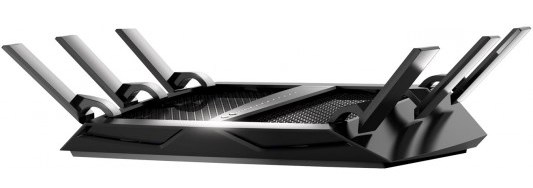
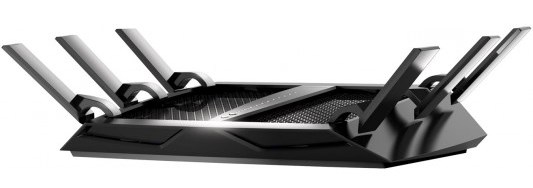
Nighthawk X6 Router Highlights

Just think for a moment about the number of wireless devices you have in the house. Is it five, ten, maybe even twenty? If you find your devices aren’t performing as fast as they should in wireless streaming or gaming, or updating, it could be that your wireless traffic is congested and fighting each other for network bandwidth. The latest router from Netgear eliminates that problem no matter how many people and devices are using your network.

The Nighthawk X6 is here, and it’s incredible. The X6 delivers a massive combined wireless speed of up to three point two gigabits per second. There’s never been wifi like it. Even if everyone and everything in the home that’s connected to the internet is streaming, gaming, working, playing, socialising, or updating at the same time the X6 won’t miss a beat.

The new X6 Router from Netgear actually groups devices together on each band to ensure optimum wireless performance.

You’ll enjoy seamless play and lag free response. Using breakthrough tri-band wifi technology, the X6 combines the power of three wifi signal bands to supercharge network data capacity allowing more devices to simultaneously connect at faster data rates than ever before.

The X6 optimises wi-fi performance, by intelligently assigning each wifi device to the fastest wifi band possible. By doing so, the X6 allows devices to connect and perform unhindered by slower devices, meaning all devices load, stream, and game at their maximum speed.

The X6 will also do load balancing across the two five gigaherz bands, to ensure both the bands are utilised, thus ensuring you are using your home network to get the best wi-fi performance.

The 6 high performance antennas ensure you get ultimate coverage everywhere pushing high fidelity wifi into every corner of your home. The X6’s two USB ports allow you to connect printers and storage drives to your home network, and access them wirelessly at gigabit speeds.

Stream and share the content on smart TVs, game consoles and PCs, or play music on any Apple air-play compatible device in your home.

The Nighthawk X6 comes preconfigured with an easily identifiable router name and password so you can connect your modem and have a secure wireless connection straight out of the box. The WPS, or push n connect feature lets you connect to any WPS capable device, for a quick and easy set up. If you have guests using your network, you can restrict them to just internet and prohibit access to your network drives and files.

And of course the Genie app gives you control over the router via your tablet, smartphone or notebook – no disc required. The Genie app helps you monitor usage, repair connection issues and control the router for password administration, router naming and other maintenance tasks.

Even back ups are made simple with Netgear’s readyshare vault backup software. Easy to set up and customise, the Nighthawk X6 changes what’s possible. Don’t let your wifi limit you.

That’s the Netgear Nighthawk X6… the triband wifi router that delivers more wifi to more devices.

Samsung Galaxy Tab S Highlights

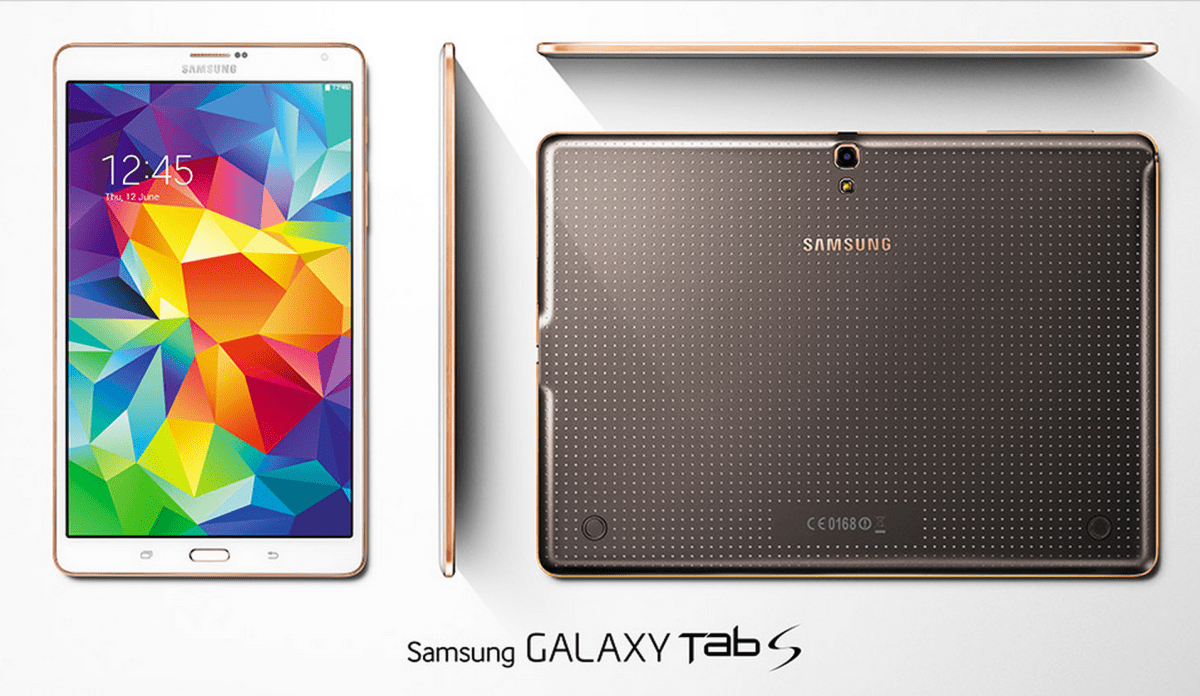
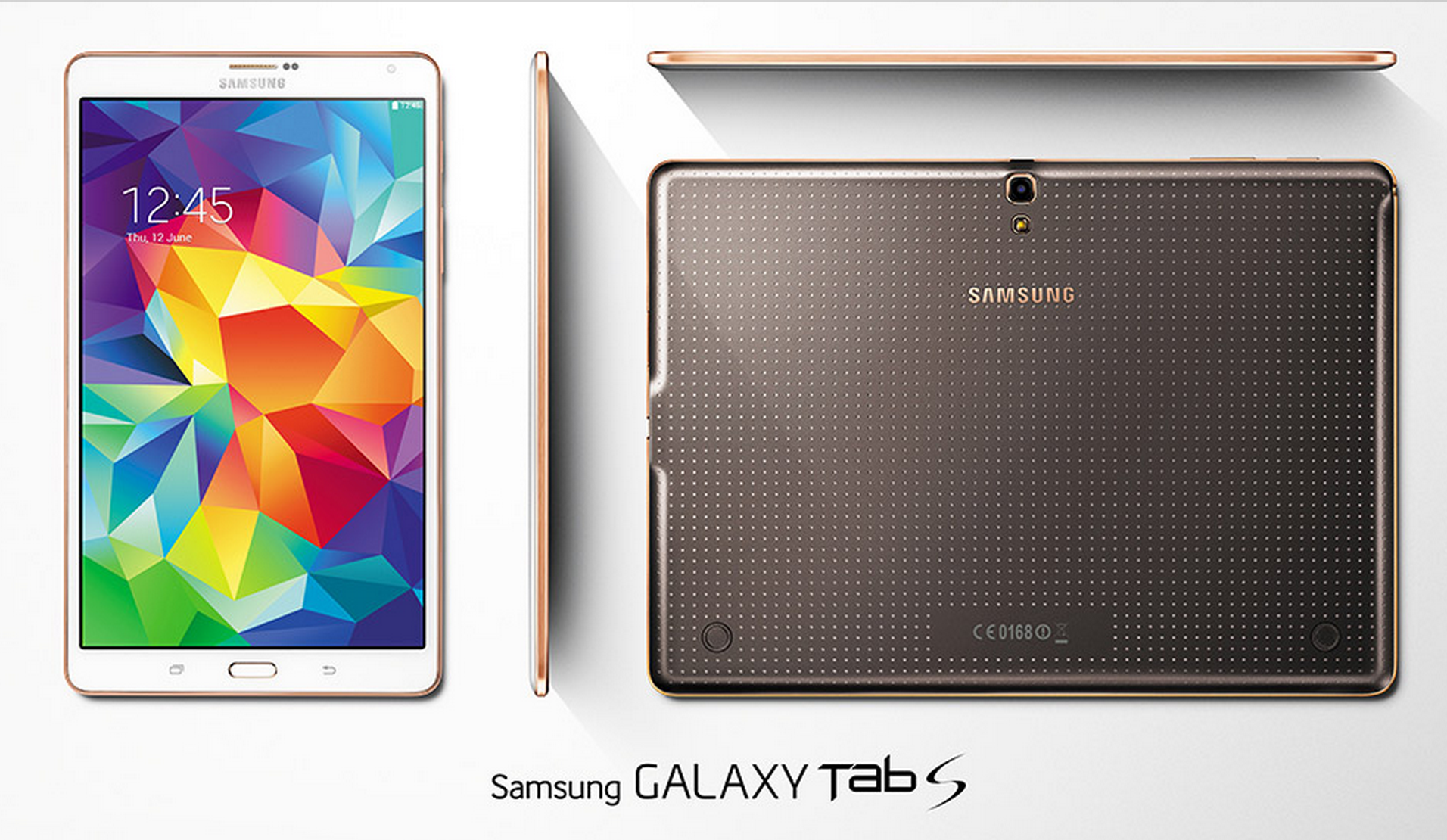
The brand new GALAXY Tab S range has now been released and available at Bing Lee, and we’re here to show you what it’s all about. The Tab S comes in two models – an 8.4 inch and 10.5 inch model.

The 8.4 inch model fits comfortably in one hand for ebook reading, casual video watching, social media updating and browsing. The 10.5 inch model is great for widescreen movie enjoyment, with a larger screen for immersive gaming and entertainment as well as productivity sessions. Both models are thinnest and lights Galaxy Tablets yet and share the same perforated back for greater gripping comfort.

Both the 8.4 and 10.5 versions of the tab S are amazingly light to hold with bright screens.


There are some awesome features that both models share. It’s fair to say the most important aspect of a tablet is its display, and the Samsung Tab S does not disappoint, in fact it absolutely dazzles with its Super AMOLED display. Videos and movies are delivered with incredible detail and colour.

The resolution is astounding, with a 2560 by 1600 resolution, making text and images crystal clear and easy on the eye. And it doesn’t matter what environment you’re in, the screen adjusts to ensure you’re getting the optimum viewing whatever the lighting conditions are when you’re using selected Samsung apps such as gallery, video player and browser.

The Tab S range has a fingerprint scanner built in for extra security and even payments, maximising the security for the data on your device and the financial transactions you want to make while online. You can even create different profiles with multi-user mode so that only the data for that user is accessible, and they don’t need to remember a password, just swipe their finger.

Multi-window optimises your productivity and entertainment when you need to be doing two things as once. For example, have your browser open while you type an email, or watch a video while you read up on the show’s latest updates. For work and play, multiwindow streamlines your activities.

If you own a galaxy smartphone, you can use side sync 3.0 to make and receive calls on the tablet, and you can also move data between your two galaxy devices, including cutting and pasting text. There’s also ultra power saving mode that turns your screen to black and shuts off non essential apps so you can still use your Tab S when the battery is low.

The hardware on both the 8.4 inch and 10.5 inch Tab S models are very similar, and they are right at the front of the queue for tech specs. There are two quad core processor combined in the one chip with 3GB of RAM for superb multitasking, as well as a micro SD card slot for capacities up to 128MB. The wi-fi connects at the latest AC standard for lightning fast speeds.

Both models also have an eight megapixel camera and flash with a 2.1 megapixel front camera for selfies and video chats. Lastly, the Magazine interface makes it easy to keep track of the news and updates that you want to see, that’s fully customisable and visually friendly.There’s also some great apps and offers to explore, including marvel unlimited, pocket premium, evernote premium and expanded dropbox/and box storage.

That’s the new Tab S range, great style, visually impressive and perfect for productivity and entertainment on the go.

Netgear Nighthawk Router Highlights


When it comes to Wifi, milliseconds mean everything. There can be no hesitation, no delays, no interruptions and to win, you have to be faster, stronger and smarter than the competition.

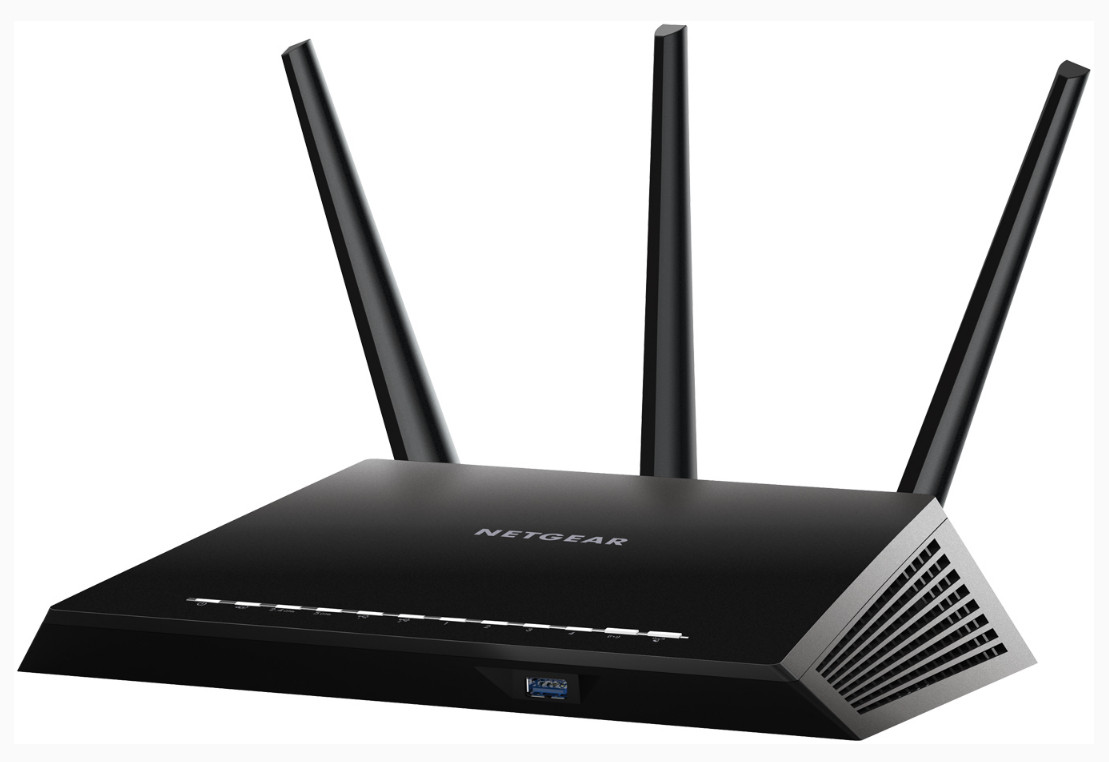
Introducing the Nighthawk AC1900 Smart Wifi Router, from Netgear, the most advanced evolution in Routers, that maximises your experience with a new revolution of online gaming and streaming.

The Nighthawk Router from Netgear provides stronger, and faster Wi-fi connectivity.

It’s the fastest available. No more lag during gaming and streaming. It’s stronger. Advanced beamforming plus technology locks onto and tracks wifi devices, delivering a direct signal beam that increases network speed, range and performance by up to one hundred percent.

Three external antennas couple to high powered amplifiers maximise range for total home coverage. It’s smarter. The dual core one gigaherz processor powers automatic wifi bandwidth priority for game consoles like Xbox One and 360, for the best online gameplay with no lag.

Nighthawk gives automatic high priority to streaming video services like youtube, quickflix and Vevo, ensuring uninterrupted entertainment whenever you want it.

Automatic backups for Mac And PC ensure your files are safely stored on your USB hard drive attached to the router.

The Nighthawk comes preconfigured with an easily identifiable router name and password so you can connect your modem and have a secure wireless connection straight out of the box.

The WPS, or push n connect feature lets you connect to any WPS capable device, for a quick and easy set up. If you have guests using your network, you can restrict them to just internet and prohibit access to your network drives and files.

And of course the Genie app gives you control over the router via your tablet, smartphone or notebook – no disc required. The Genie app helps you monitor usage, repair connection issues and control the router for password administration, router naming and other maintenance tasks.

The Nighthawk has two USB ports, which are powerful wireless tools in themselves. Plug in a hard drive storage device and that drive will be accessible through any other device connected to the network. If that content is music, video or photos, then you’ll be able to stream it to any DLNA device on your network. Plug a printer into the other USB port and that printer will be converted into a wireless printer for use with any computer on the network. The printer then also becomes an Airprint printer for use with iPhones and iPads.

Combining the Genie app with the DLNA functionality makes content sharing very easy. While on your smartphone use the Genie app to find content on your DLNA network, and then send that content from the hard drive to your DLNA Smart TV.

Fast, stronger, smarter. The most advanced AC Wifi router for the ultimate in interruption free gaming, steaming and mobility. The Nighthawk from Netgear – accelerate your wifi, accelerate the way you play.