Sandisk Dual USB Drive Product Highlights

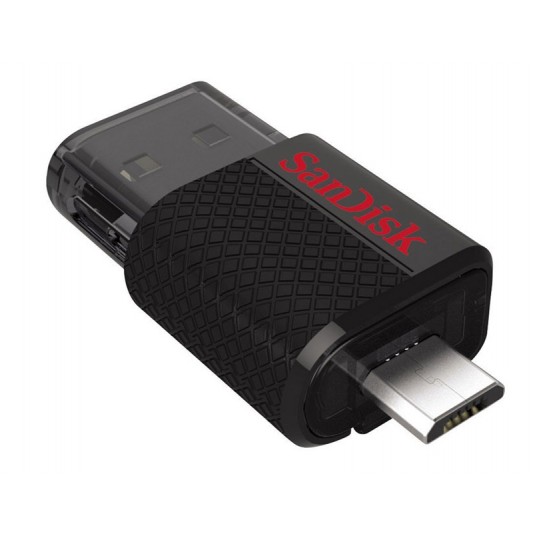
The SanDisk Ultra Dual USB Drive is a very handy USB flash drive featuring both a micro-USB and a USB 2.0 connector in a sleek and sturdy design. The SanDisk Ultra Dual USB Drive is designed for Android smartphone and tablet users who need an easy way to move content such as photos and videos from their mobile devices. The drive allows users to safely store and backup files, free-up space, or simply transfer multimedia between their smartphones, tablets and computers.

The SanDisk Ultra Dual USB Drive provides a convenient way to transfer content via an Android-powered smartphone or tablet’s micro-USB port and a computer’s USB connection. Optimized for Android smartphones and tablets, the SanDisk Ultra Dual USB Drive features a micro-USB connector on one side and a USB 2.0 connector on the other, enabling you to transfer photos, videos, and other files to your PC or Mac computer to clear up storage space.

While other methods of transferring files from a mobile device to a computer require wires, applications or a wireless set-up, the SanDisk Ultra Dual USB Drive simply needs to be connected to a mobile device supporting USB on-the-go to access up to 64GB of ‘plug and play’ storage capacity, which means that it is automatically detected when it is connected to a compatible Android smartphone, tablet or computer.

The drive’s dual USB ports also feature a retractable cover, meaning no caps to lose while still keeping the connectors safe.

SanDisk is making content management even easier with the SanDisk Memory Zone app, available for download on Google Play™. With the SanDisk Memory Zone app, users are able to better organize files stored on internal and external phone memory for management, viewing, copying and backup – further easing the hassle of freeing up the memory on their mobile device.The app can be used with the SanDisk Ultra Dual USB Drive for moving files.

Offering up to 64GB of storage space, the SanDisk Ultra Dual USB Drive provides enough capacity for large digital photo or music libraries. If you take a lot of photos or videos with your smartphone or tablet, the drive makes it easy to backup those files or move them from your device to your PC or Mac computer.

The SanDisk Ultra Dual USB Drive is compatible with Android smartphones and tablets** and with PCs running Windows® XP, Windows 7, or Windows 8 or Mac computers running Mac OS X v10.5 and above.
Nighthawk X6 Router Highlights

Just think for a moment about the number of wireless devices you have in the house. Is it five, ten, maybe even twenty? If you find your devices aren’t performing as fast as they should in wireless streaming or gaming, or updating, it could be that your wireless traffic is congested and fighting each other for network bandwidth. The latest router from Netgear eliminates that problem no matter how many people and devices are using your network.

The Nighthawk X6 is here, and it’s incredible. The X6 delivers a massive combined wireless speed of up to three point two gigabits per second. There’s never been wifi like it. Even if everyone and everything in the home that’s connected to the internet is streaming, gaming, working, playing, socialising, or updating at the same time the X6 won’t miss a beat.

The new X6 Router from Netgear actually groups devices together on each band to ensure optimum wireless performance.

You’ll enjoy seamless play and lag free response. Using breakthrough tri-band wifi technology, the X6 combines the power of three wifi signal bands to supercharge network data capacity allowing more devices to simultaneously connect at faster data rates than ever before.

The X6 optimises wi-fi performance, by intelligently assigning each wifi device to the fastest wifi band possible. By doing so, the X6 allows devices to connect and perform unhindered by slower devices, meaning all devices load, stream, and game at their maximum speed.

The X6 will also do load balancing across the two five gigaherz bands, to ensure both the bands are utilised, thus ensuring you are using your home network to get the best wi-fi performance.

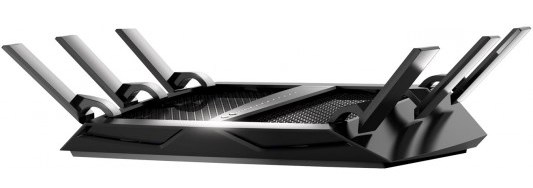
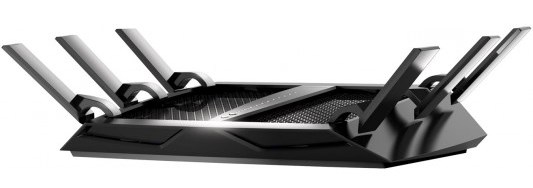
The 6 high performance antennas ensure you get ultimate coverage everywhere pushing high fidelity wifi into every corner of your home. The X6’s two USB ports allow you to connect printers and storage drives to your home network, and access them wirelessly at gigabit speeds.

Stream and share the content on smart TVs, game consoles and PCs, or play music on any Apple air-play compatible device in your home.

The Nighthawk X6 comes preconfigured with an easily identifiable router name and password so you can connect your modem and have a secure wireless connection straight out of the box. The WPS, or push n connect feature lets you connect to any WPS capable device, for a quick and easy set up. If you have guests using your network, you can restrict them to just internet and prohibit access to your network drives and files.

And of course the Genie app gives you control over the router via your tablet, smartphone or notebook – no disc required. The Genie app helps you monitor usage, repair connection issues and control the router for password administration, router naming and other maintenance tasks.

Even back ups are made simple with Netgear’s readyshare vault backup software. Easy to set up and customise, the Nighthawk X6 changes what’s possible. Don’t let your wifi limit you.

That’s the Netgear Nighthawk X6… the triband wifi router that delivers more wifi to more devices.

Samsung’s Powerbot Is The Coolest Robot Vacuum Ever

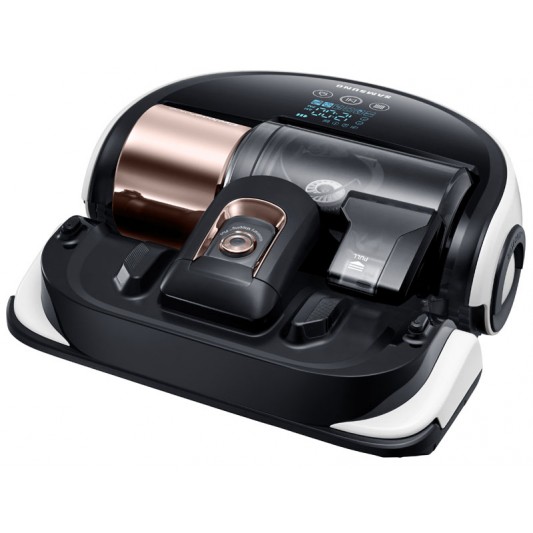
We’ve just taken delivery of a brand new vacuum cleaner, and let’s just say up front that it doesn’t fit the standard idea of a cleaning machine… at all. We think that it really does look like something Michael Bay would dream up for one of his robot fighting blockbuster movies.

The vacuum in question is the new Powerbot from Samsung – even the name delivers a action flick sensibility. This is a robot vacuum that is actually a vacuum, in that it uses suction power to clean in addition to its brushes.

This Samsung robot means business... cleaning business!
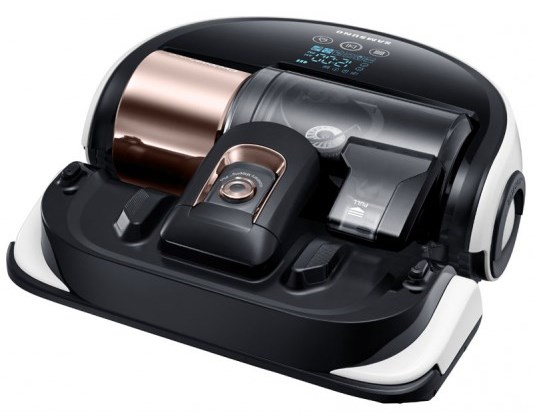
This Samsung robot means business… cleaning business!

You can send it out to battle dusty and dirty areas using the supplied remote, or let it work its own way around your house. It actually creates a map of the house and cleans as efficiently as possible.

And try this for smart – when it gets low on battery power, the Powerbot returns to its charging station, and then gets back out into the field to complete its job, starting where it left off!

If you think this sounds more like some kind of sentient cleaning robot than a standard robot vacuum, the folks at Samsung feel the same way, and they’ve created a video to illustrate what they obviously had in mind when they designed and produced this beast of a robo-vac.

Enjoy, and have a great weekend!

Samsung UHD and FHD Monitors

Samsung’s new range of monitors have just hit our stores and they have some great features to cover all your PC display needs.

The Stylish SD390 range is sure to stand out wherever it is. Its narrow bezel design lets you see more of the screen while illuminating a subtle hint of soft pure blue that sets an elegant glow around the monitor . Specially the 24” and 27” SD390 screen have a beautiful crystal glass like neck that holds up the monitors, providing a classic look amongst all of your computer gear. It features wide viewing angles of 178 degrees and a full HD, 1920 by 1080 resolution with both standard VGA and HDMI inputs for the majority of PC connections. The headphone out supports HDMI pass through enabling the audio portion of the content you’re watching, to go to your own headset or even to your PC sound system.

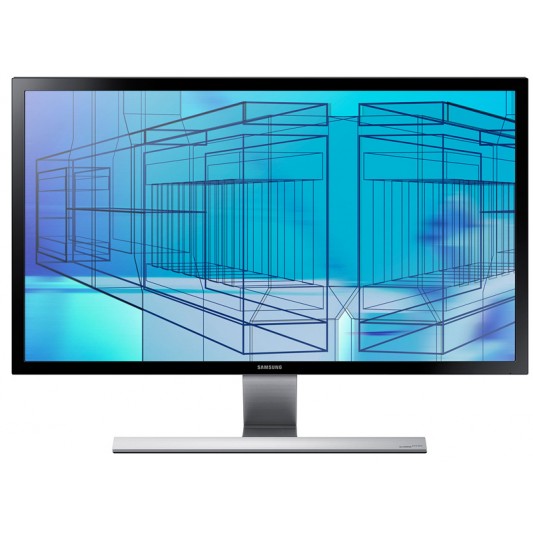
The new UHD monitor from Samsung can handle amazingly high resolution videos and images.

The Stunning Samsung UD590 Monitor has some incredible features to ensure your computer based viewing is both perfect for today as well as into the future. Visually, the minimalist design really enhances the look of any graphic or business workstation.

With video content, and particularly PC based content moving towards higher resolutions, the UD590 has a native ultra-high definition resolution of 3840×2160 to cater for UHD/4K content as it becomes more common.

So whats the difference? – a full HD computer screen has approximately 2 million pixels, whereas the UD590 has approximately 8 mllion pixels, This means it can deliver much more detail which can be critical when editing and viewing high resolution images on screen.

With a fast response time of just 2 milliseconds, fast moving images will be delivered crystal clear, judder free  with no ghosting. And with 1 billion – yes, 1 billion colours, images are presented more accurate, giving and life like image quality with smoother colour gradients.

Also UD590’s UHD upscaling technology can automatically detect the content’s original resolution and improve it to create clearer, sharper images using Samsung’s unique algorithm and noise reduction technology.

Offering 2 HDMI 1.4 and a Display port, Samsung has you connected digitally. And you can easily Multi-task with features such as Picture in Picture so you can work, watch videos or even connect a games console simultaneously and it still maintains 100% of the source resolution! So whether it’s 1080p ,720p or 480p, Samsung’s PIP 2.0 doesn’t downscale content but maintains the exact same resolution.with no loss in quality.

And finally Game mode. Game mode gives gamers optimised gaming at a touch of a button,when active, Game mode increases contrast, enhances colour and reduces lag by smartly detecting the changes in scene…what does this mean? A greater gaming experience.

That’s Samsung’s new range of monitors – designed  to cater for your display needs today and into the future,.


Toshiba L30W-B00J Convertible Highlights

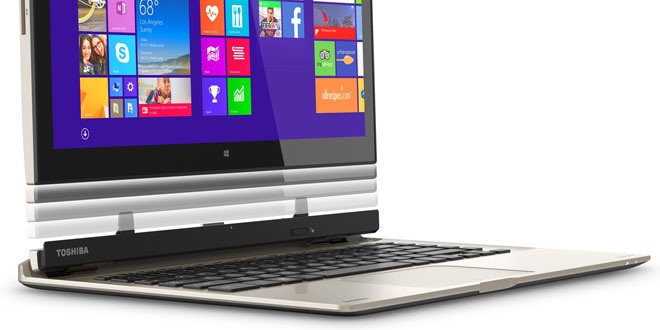
The Satellite L30W  Windows 8 notebook from Toshiba is a great example of a full Windows 8 experience at an affordable price. Let’s take a closer look. The L30W is a thin and light designed notebook, making it a device that you can definitely take with you anywhere in a small bag or satchel. The design is a sleek, silver casing that has an elegant look from any angle.

The new Toshiba convertible Windows notebook and tablet in one.

Now the feature that separates the this notebook from many others is that all the main componentry is built behind the screen, with the keyboard element acting as a dock. In fact, the keyboard section only has one port, a USB 3 connection plus the power socket. This means that most of the ports are actually on the screen itself.

So on one side we have the SD card slot, headphone jack, USB 3, micro HDMI, volume toggle and power button. On the back of the screen you can see these grills here which hold the skullcandy speakers for great audio for music and movies. The keyboard itself is set out in an island design, with good separation between keys, keeping you productive.

Below the keyboard is a single panel touchpad, which can be used to control the Windows 8 environment. For example, swipe in from right for charms, in from the left for apps and from the top for additional features. Just above the keyboard is this physical switch, which you move with a one handed click, and the monitor lifts off the keyboard dock.

Now you have a large screen tablet that you can use in Windows 8 touch screen mode, taking advantage of the thousands of apps available in the Windows store for gaming, reading, and entertainment. The multi-touch screen panel is a thirteen sixty six by seven sixty eight pixel resolution, on a generous thirteen point three inch display.

Having a touch screen on such an affordable notebook is a great feature, as you’re able to use Windows 8 to its fullest, with pinching, zooming, swiping to change apps, and selecting hyperlinks. Above the screen is a webcam for use in video chat applications.

The Satellite L30W is powered by Intel’s new quad core pentium chip,  with enough grunt to get through all your basic daily activities like email, web browsing and using Windows 8 apps. The integrated Intel HD graphics provides additional power to make your movie and video viewing a pleasure as well. The four gigs of onboard ram makes sure you can have multiple apps open and running smoothly as well.

The L30W comes with 500GB of storage on board, so you’ll have plenty of space to fit your documents, photos, music and movies so you can be entertained on the go. And when you want to share the items on your Satellite, you’ll be able to simply connect to a flat panel TV with a HDMI cable using the micro HMDI output.

Transferring files to and from is ultra fast as well, with the USB 3 super speed port providing up to ten times the speed of a USB 2 connection. Whether you’re at home or out and about, the wireless connection on the Satellite L30W lets you stay up to date and in contact using high speed wireless connectivity.

That’s the Toshiba Satellite L30W – big screen, great look, and a Windows notebook and tablet in one.

Samsung Galaxy Tab S Highlights

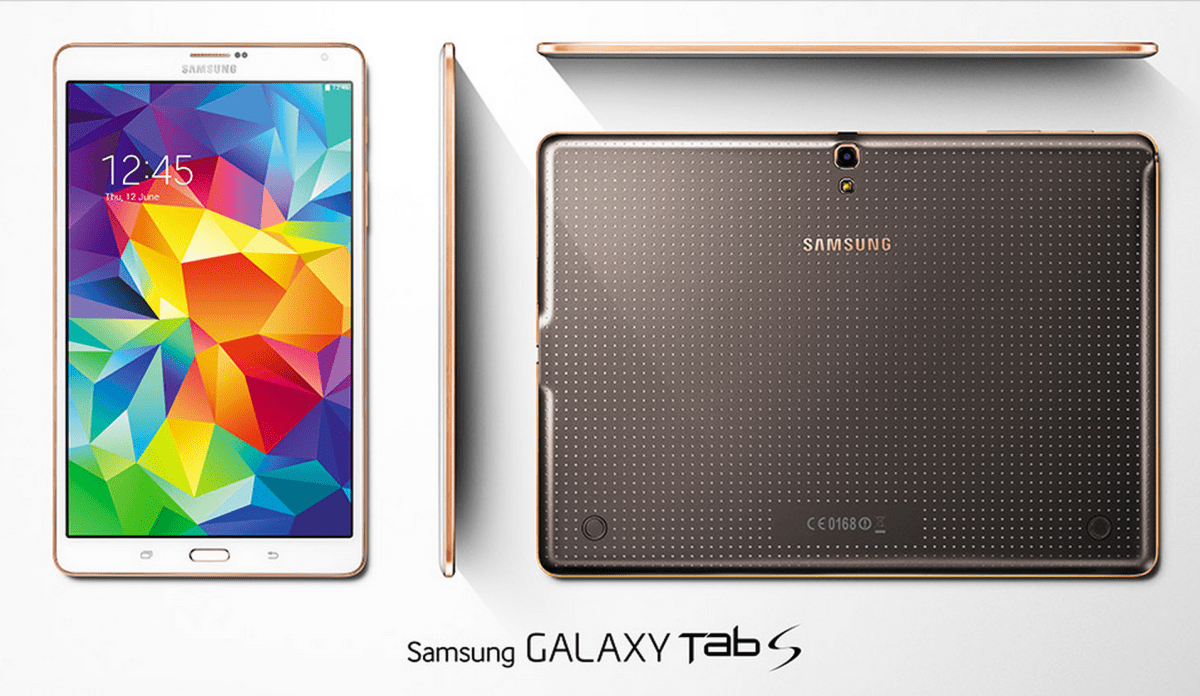
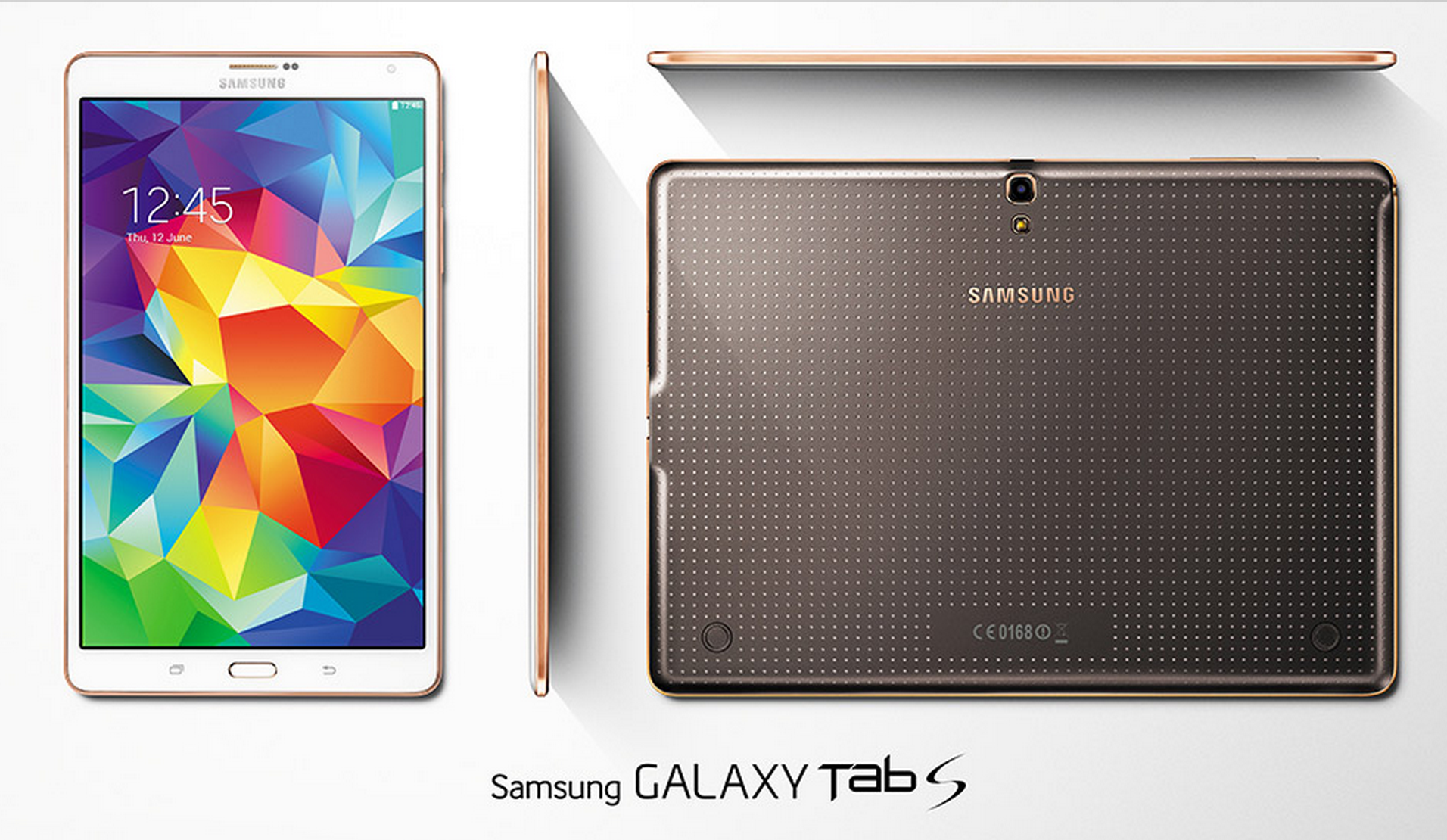
The brand new GALAXY Tab S range has now been released and available at Bing Lee, and we’re here to show you what it’s all about. The Tab S comes in two models – an 8.4 inch and 10.5 inch model.

The 8.4 inch model fits comfortably in one hand for ebook reading, casual video watching, social media updating and browsing. The 10.5 inch model is great for widescreen movie enjoyment, with a larger screen for immersive gaming and entertainment as well as productivity sessions. Both models are thinnest and lights Galaxy Tablets yet and share the same perforated back for greater gripping comfort.

Both the 8.4 and 10.5 versions of the tab S are amazingly light to hold with bright screens.


There are some awesome features that both models share. It’s fair to say the most important aspect of a tablet is its display, and the Samsung Tab S does not disappoint, in fact it absolutely dazzles with its Super AMOLED display. Videos and movies are delivered with incredible detail and colour.

The resolution is astounding, with a 2560 by 1600 resolution, making text and images crystal clear and easy on the eye. And it doesn’t matter what environment you’re in, the screen adjusts to ensure you’re getting the optimum viewing whatever the lighting conditions are when you’re using selected Samsung apps such as gallery, video player and browser.

The Tab S range has a fingerprint scanner built in for extra security and even payments, maximising the security for the data on your device and the financial transactions you want to make while online. You can even create different profiles with multi-user mode so that only the data for that user is accessible, and they don’t need to remember a password, just swipe their finger.

Multi-window optimises your productivity and entertainment when you need to be doing two things as once. For example, have your browser open while you type an email, or watch a video while you read up on the show’s latest updates. For work and play, multiwindow streamlines your activities.

If you own a galaxy smartphone, you can use side sync 3.0 to make and receive calls on the tablet, and you can also move data between your two galaxy devices, including cutting and pasting text. There’s also ultra power saving mode that turns your screen to black and shuts off non essential apps so you can still use your Tab S when the battery is low.

The hardware on both the 8.4 inch and 10.5 inch Tab S models are very similar, and they are right at the front of the queue for tech specs. There are two quad core processor combined in the one chip with 3GB of RAM for superb multitasking, as well as a micro SD card slot for capacities up to 128MB. The wi-fi connects at the latest AC standard for lightning fast speeds.

Both models also have an eight megapixel camera and flash with a 2.1 megapixel front camera for selfies and video chats. Lastly, the Magazine interface makes it easy to keep track of the news and updates that you want to see, that’s fully customisable and visually friendly.There’s also some great apps and offers to explore, including marvel unlimited, pocket premium, evernote premium and expanded dropbox/and box storage.

That’s the new Tab S range, great style, visually impressive and perfect for productivity and entertainment on the go.

HP Pavilion x360 Convertible Highlights

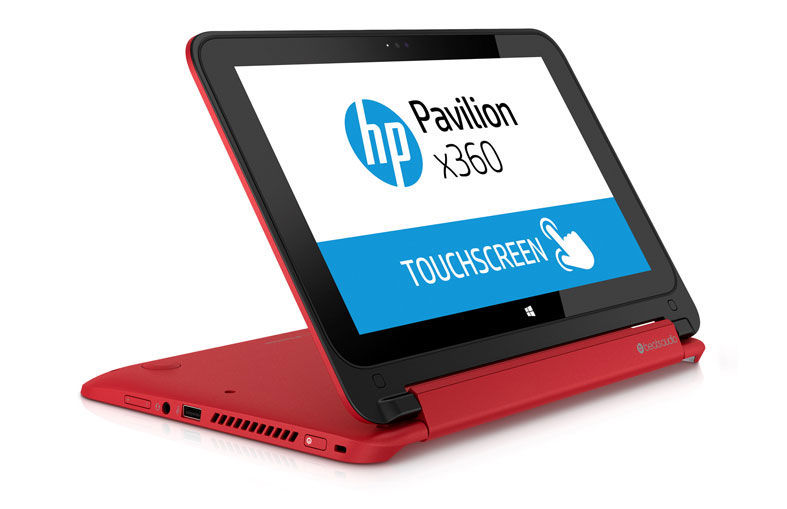
The Pavilion x360 home notebook is a Windows 8.1 convertible PC from HP, powered by Intel’s latest Celeron processor.

The x360 is a smart looking small sized notebook, with a soft touch red coating across the entire body . As you can see it’s very portable, and being this small is very mobile, easily being your on the road computer solution.

The HP Pavilion x360 has some neat tricks for extra functions in different situations.

Taking a look around the device we find the power button, a USB 2 port, headset jack and volume toggle. On the other side we have an SD card slot, another USB 2 port, USB 3 port, HDMI input and ethernet port. Now it’s worth pointing out that all these are full size connections, not mini or micro, which is pretty impressive on such a small device. On the front we find a TrueVision HD Webcam with an integrated microphone that can be used with Skype and other video messaging services.

The display is an eleven point six LED touchscreen with a thirteen sixty six by seven sixty eight resolution. The x360 features Beats Audio with 2 speakers for great audio for movies and music.

Internally, the Pavilion x360 is powered by a specially designed dual core Celeron chip by Intel for mobile devices for quick response for apps and the OS. The new Intel system on a chip is specifically designed to deliver super fast response on mobile devices like this Windows 8.1 tablet, with better graphics and excellent power use.

The new Celeron processor is a powerful mobile processor that is a little brother to Intel’s core range seen in larger notebooks. Whether it’s gaming, productivity or entertainment, having Intel Inside means you will have the best mobile experience.

The x360 also features four gigabytes of RAM for superb multitasking, and a three hundred and twenty gigabyte hard drive to hold all your documents and files. Of course with the full size SD card slot card you can also expand your memory or easily transfer photos and other files to and from the Pavilion x360. If you want to share your content, it’s a cinch to use a HMDI cable to connect to your flat panel TV to show off your photos and movies.

The Pavilion x360 provides up to eleven hours of battery life thanks to the incredibly efficient intel processor. To extend the functionality and productivity of your notebook, the x360 has a very neat trick, with a 360 degree hinge connecting the touch screen to the keyboard base. What does this mean? You can twist the screen around like this and use the upside down keyboard as a stand to watch and control your screen using touch through the Windows 8.1 live tile interface. You can also lie the the screen flat on the base and hold it as a tablet as well. Amazing flexibility for such a small and affordable device.

Lastly, because the x360 uses the full blown version of Windows 8.1, you can install all the third party Windows programs you’re used to using, or discover many more apps on the Windows store. Windows 8.1 allows you to make better use of the screen with improved multi tasking, an official Facebook app, and other in-built features like multi-window mail, improving productivity – and let’s not forget the return of the smart button for better desktop-based control.

That’s the HP Pavilion x360 home notebook – portable size, touch screen, full size ports and massive flexibility in notebook, stand and tablet modes – perfect for work and play.

Sony KD65X9000 4K TV Highlights


Upgrading your current TV has never been more exciting and full of possibilities. And with Sony’s new KD65X9000 model, nothing is compromised in design, visual or sound quality.

Sure, thin and flat might be a popular trend today, but what you are giving up is an important part of the viewing experience – and that’s the audio component. With Sony’s Peak design, Sony are able to incorporate Magnetic Fluid speakers that are front facing and fire awesome audio right at you, complementing the amazing visual experience.

The Sony 4K TV delivers the highest resolution ever produced on a Sony TV.

Sony’s distinct design identity will be an enviable talking point for any visitor with shiny chrome plates on the sides and naked speakers making a powerful audio statement even before you hear anything. Turn the TV on, and sound will fill the room, enhancing the on screen content.

TV images are delivered via Sony’s own 4K X-reality pro engine, that upscales any content you have to take advantage of this TV’s 4K resolution. Even Full high definition content looks better with the engine filling in the pixels and delivering more perceived detail, making any content look stunning.

Now this is a 4K television, and you may be asking why invest in one when there isn’t much 4K content to watch right now? Well as 4K content does start to become available, with this Sony 4K TV you’ll be ready to watch the latest content at the best resolution possible, with the latest standards already built in to this model. In the meantime, upscaling means an enhanced viewing experience of all of your current content.

And remember that there are quite a few products that are now capable of producing 4K video, like this Xperia Z2 smartphone. Using MHL 3.0, you can playback any 4K recordings you’ve made straight onto this TV without any loss of that native 4K recorded resolution.

And it isn’t just the 4K resolution that makes this a great TV – extended dynamic range delivers brighter colours and deeper blacks so you’re watching shows as close as possible to the original creation.

And Sony’s Triluminous display provides even more shades of colours across the entire spectrum, giving you enhanced details and even more lifelike image reproduction. It’s like a window into another world.

Navigating this Sony 4K TV is also easy and fun – using the one flick remote, you can browse and enjoy content from 5 areas – channels, movies, albums, music, and apps. To make the most of it you do need to connected to the internet, but even that is made easy with wifi connectivity to your wireless network.

You can add your own USB hard drive and record programs straight from the channel section, making it easy to enjoy your favourite programs even if you’re not there to watch them live.

That’s the new Sony KD65X9000 4K television – huge sound, amazing visuals and stunning design. Make sure you see one for yourself.


Netgear Nighthawk Router Highlights


When it comes to Wifi, milliseconds mean everything. There can be no hesitation, no delays, no interruptions and to win, you have to be faster, stronger and smarter than the competition.

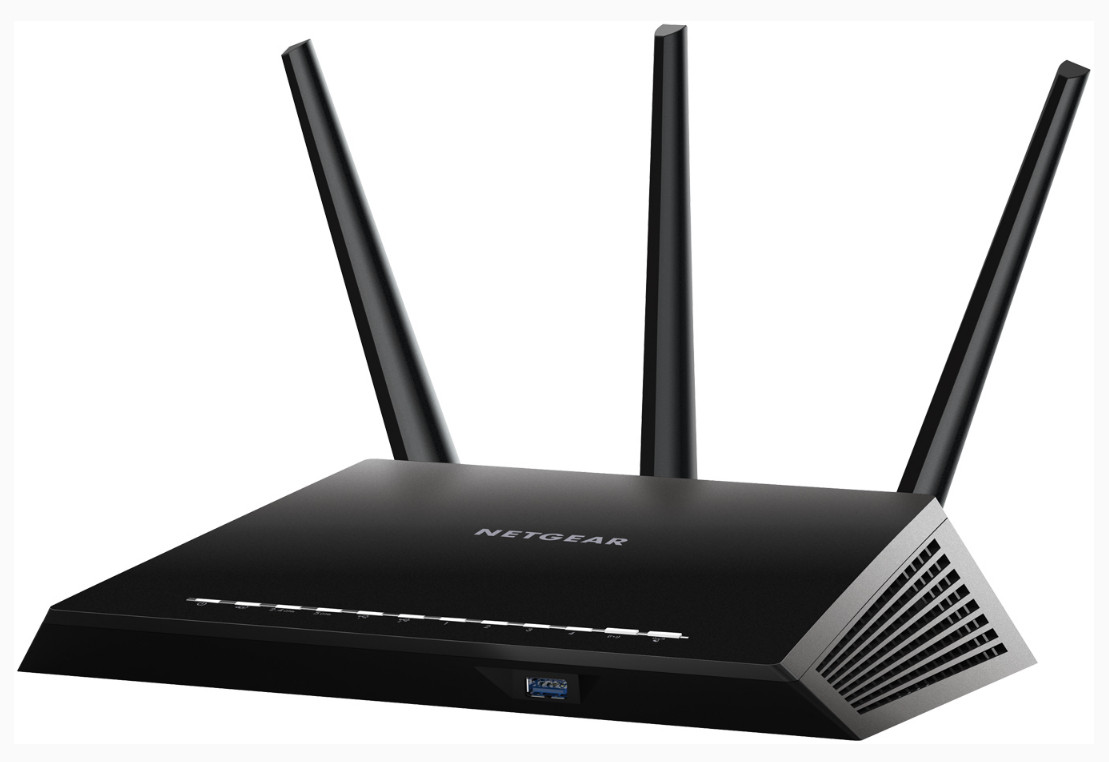
Introducing the Nighthawk AC1900 Smart Wifi Router, from Netgear, the most advanced evolution in Routers, that maximises your experience with a new revolution of online gaming and streaming.

The Nighthawk Router from Netgear provides stronger, and faster Wi-fi connectivity.

It’s the fastest available. No more lag during gaming and streaming. It’s stronger. Advanced beamforming plus technology locks onto and tracks wifi devices, delivering a direct signal beam that increases network speed, range and performance by up to one hundred percent.

Three external antennas couple to high powered amplifiers maximise range for total home coverage. It’s smarter. The dual core one gigaherz processor powers automatic wifi bandwidth priority for game consoles like Xbox One and 360, for the best online gameplay with no lag.

Nighthawk gives automatic high priority to streaming video services like youtube, quickflix and Vevo, ensuring uninterrupted entertainment whenever you want it.

Automatic backups for Mac And PC ensure your files are safely stored on your USB hard drive attached to the router.

The Nighthawk comes preconfigured with an easily identifiable router name and password so you can connect your modem and have a secure wireless connection straight out of the box.

The WPS, or push n connect feature lets you connect to any WPS capable device, for a quick and easy set up. If you have guests using your network, you can restrict them to just internet and prohibit access to your network drives and files.

And of course the Genie app gives you control over the router via your tablet, smartphone or notebook – no disc required. The Genie app helps you monitor usage, repair connection issues and control the router for password administration, router naming and other maintenance tasks.

The Nighthawk has two USB ports, which are powerful wireless tools in themselves. Plug in a hard drive storage device and that drive will be accessible through any other device connected to the network. If that content is music, video or photos, then you’ll be able to stream it to any DLNA device on your network. Plug a printer into the other USB port and that printer will be converted into a wireless printer for use with any computer on the network. The printer then also becomes an Airprint printer for use with iPhones and iPads.

Combining the Genie app with the DLNA functionality makes content sharing very easy. While on your smartphone use the Genie app to find content on your DLNA network, and then send that content from the hard drive to your DLNA Smart TV.

Fast, stronger, smarter. The most advanced AC Wifi router for the ultimate in interruption free gaming, steaming and mobility. The Nighthawk from Netgear – accelerate your wifi, accelerate the way you play.


Easy NFC Printing With Samsung

Samsung’s new range of printers is now in store, and they come with some great new features that make it even easier to print when and wherever you need to.

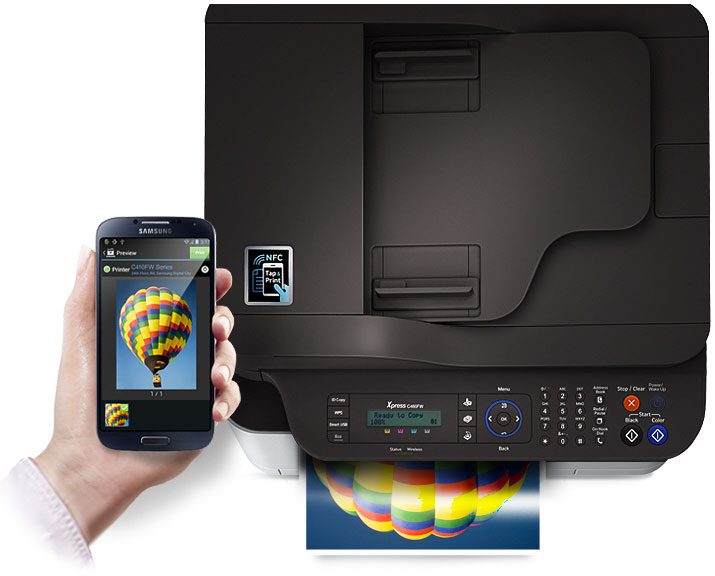
Samsung's new NFC Printers let you print straight from your mobile device.
Samsung’s new NFC Printers let you print straight from your mobile device.

You may have heard of a technology standard called NFC. It stands for near field communication and it enables two devices to connect at close range. For example, you can send pics between two phones without having to do anything other than hold them next to each other. Samsung’s own S beam on the Note and S series smartphones uses this technology.

Samsung has now incorporated NFC into their new printer line up to make it even easier to connect wirelessly to your printer. So let’s see how it works.

First, download the Samsung Mobile Print app from the google play store. Next activate the mobile printing app by simply tapping the phone on the printer to make the connection. Seriously, that’s all.

Next, all you need to do is select the content you want to print from within the MobilePrint app – this can include photos, documents, even web pages. Tap the printer on this location here to print and you’re done. You can also use the mobileprint app to scan, copy and fax as well, so you can have full control on your wireless device.

So let’s look at the line up of Samsung NFC printers at Bing Lee. The SL-M2020W is a top value mono laser printer that has a very small footprint and 20 page per minute print performance.

The step up from that is the SL-M2070FW, a mono laser multifunction with the same print speed and the versatility of printing, copying, scanning and faxing. Wifi is super easy to set up with WPS mode for easy wireless network connection.

Then we have the colour models, with the SL-C410W, a single function printer that prints 18 pages per minute in mono and 4 pages per minute in full colour, with a dual core processor and easy wifi set up.

Lastly but not least, the SL-C460FW is a colour printer, copier, scanner and fax with 18 papes per minute mono output and 4 pages per minute colour document printing. The dual CPU processor makes sure documents are printed accurately and quickly and the WPS set up makes it a cinch to enable wireless printing for the entire household.

That’s the brand new Samsung laser printer range, with NFC printing built in, so you can print straight from your NFC enabled smartphone or tablet. Work smarter, easier and faster.