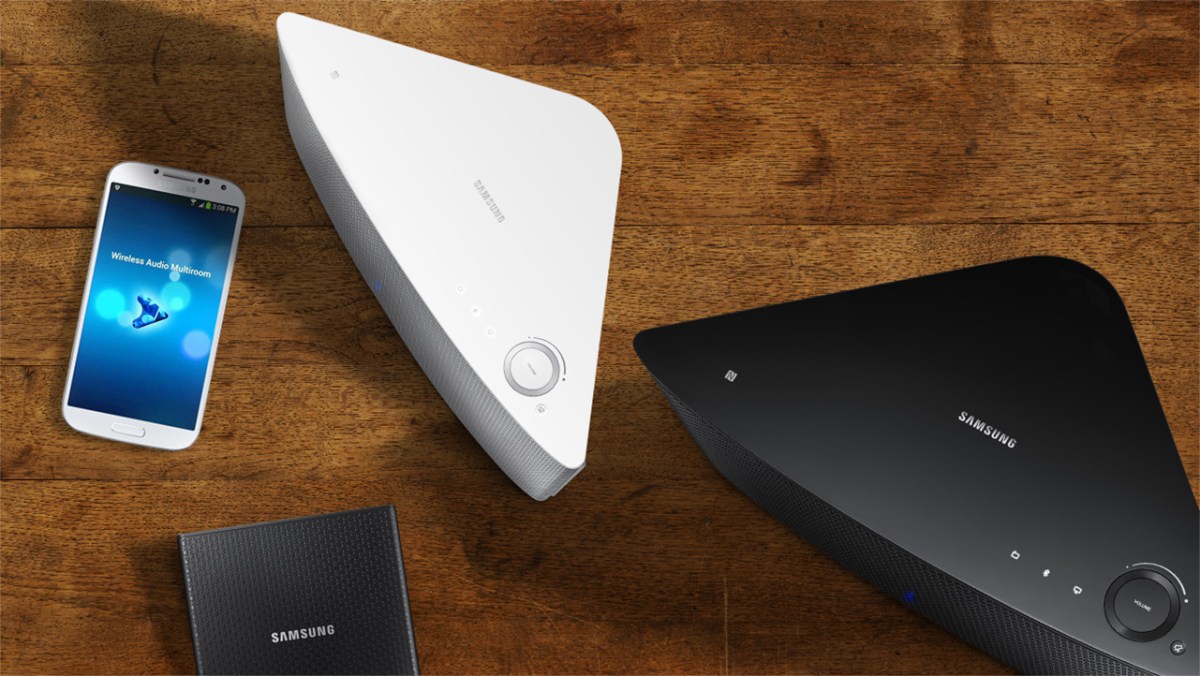
Samsung Network Speakers


Growing up in a household full of people is always fun, whether it’s flatmates or family. One thing about living in close quarters is everyone has their own taste – in clothes, cars and of course, music. With Samsung’s new Multiroom speaker setup, you can have one central system where everyone can enjoy their own music, or have the same music streamed to all speakers – the choice is complete your own.
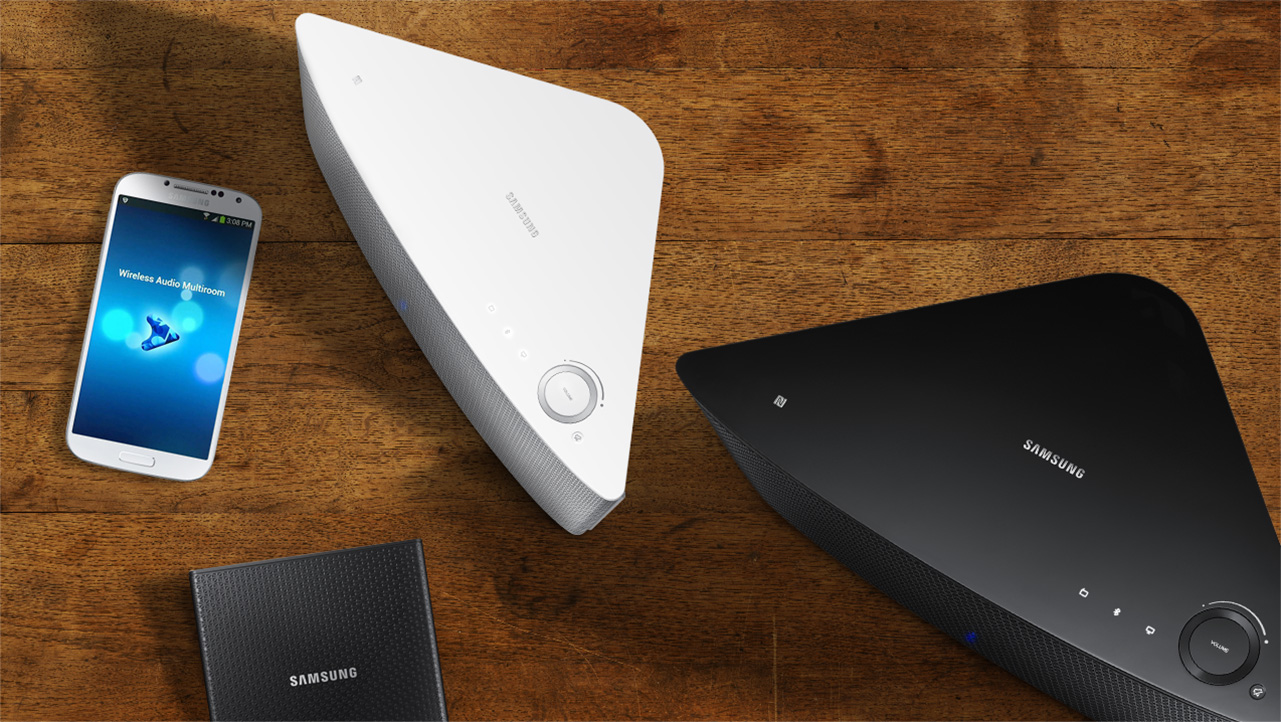
With Samsung's new speakers, you can easily control content from speaker to speaker, room to room.
With Samsung’s new speakers, you can easily control content from speaker to speaker, room to room.

So let’s look at how easy it is to connect these speakers to make your multiroom system work in 3 easy steps. First, you’ll need the Multiroom hub – this is sold separately to the speakers. Connect the Multiroom hub to power, then connect an ethernet cable from the hub to your router. So effectively the hub needs to be placed next to your router. Now, you will be able to connect to each multiroom speaker.

So once you have set up each speaker in each room according to your needs, plug them into a wall socket as they each need power. Thirdly, download the wireless audio multiroom app from either Google play for android smartphones or the itunes app store.

So before we move on to the next bit let’s talk quickly about the speakers. There are two types to choose from. The M5 is a 2 way stereo speaker combining 1 woofer and 2 full range drivers The M7 is a larger more powerful 5 way speaker with 1 woofer, 2 mid range and 2 tweeters. Now you can set these up in a few different ways. Firstly you can have just one in the room which will give you stereo sound from the one speaker. Or, you can have two speakers with decent amount of separation for a much wider stereo and obviously louder audio experience.

Now the other important thing here is that once you have the hub and speakers set up, they will now form part of what is a called a mesh network. This essentially means that all speakers don’t need to be in contact with the router, they just need to be in range of another speaker. Think of it as a daisy chain – as long as one speaker is in range of another, regardless of the router, then it can deliver content. Mesh networks are great for audio because you can stretch it way beyond normal router distances, like the pool or the back of the yard.

So if your device needs the app and to be connected to the same network. you can then choose which speakers to send a music track to. In fact you can send an entire playlist to that speaker. You can then create another playlist and send that to another speaker, or set of speakers if you’ve got the wide stereo set up.

And it isn’t just local tracks – Samsung’s Multiroom is compatible with streaming services like Pandora and Spotify Connect and TuneIn as well. So you can use the music service you currently subscribe to and completely control what plays in what room – keeping everyone happy.

Even if you’re home alone, the room to room feature is also cool, with the music following you as you move around the house. Here’s a great example of that. In the lounge room you may not have set up Multi room speakers, but here’s a tip – if you have a series 7 sound bar, you can stream your favourite music to that, keeping your home entertainment area clutter free by connected to your sound bar as a multiroom speaker. Very cool! It works by identifying it on the app as a speaker, which you then select.

Taking that one step further, selected Samsung Smart TVs can act as a source, pushing out content like concerts or even sports matches so the whole family can listen in to the action no matter where in the house they are!

That’s the Samsung multi-room system – great control over your audio content with the ability to expand as your home and family changes and great connectivity with other Samsung AV equipment!


 

Bing Lee Store Tour with Google Glass!

If you are at all interested in technology, then you’ve probably heard of Google Glass – it’s a wearable PC that you, well, wear on your head like glasses and see a small screen floating in front of you (in the top right hand of your right side to be exact). It’s a bleeding edge product that is still in beta form and probably won’t be available for mass consumption until some time next year.

What can you do with Google Glass? You can get directions, ask Google questions, translate foreign languages on the fly, receive and send messages as well as take pictures and record video.

The last point is the aspect that we tried out in a store this week, using our Old Guildford showroom for a “customer’s-eye view” of the store, talking to a couple of the sales staff in the store, checking products and even ordering a hot espresso!

We used Google Glass to create a store tour for our customers.

As Google Glass is not yet available in Australia, this is probably one of the first times that this technology has been used in a retail environment – and we’ve kept the vision and audio raw with just some editing to compress the tour down to three minutes for your enjoyment.

So sit back, relax and let us take you on a journey through our Old Guildford store

Smartwatches and the World Cup

You may have noticed a few people walking around with watches that look suspiciously like touch screens – yes, this is the year that wearables finally come into the limelight.

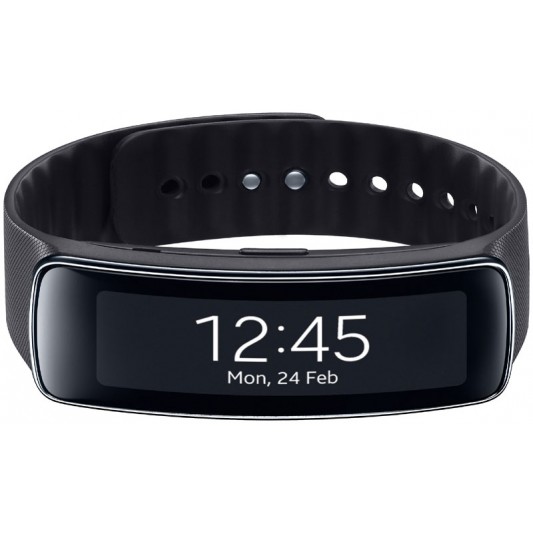
One of the best looking wearable devices around is the Gear Fit, a slim bracelet-style wearable that connects to your devices and delivers notifications for incoming phone calls, SMS and emails, on a curved OLED display.

gearfit_med
The Samsung Gear Fit

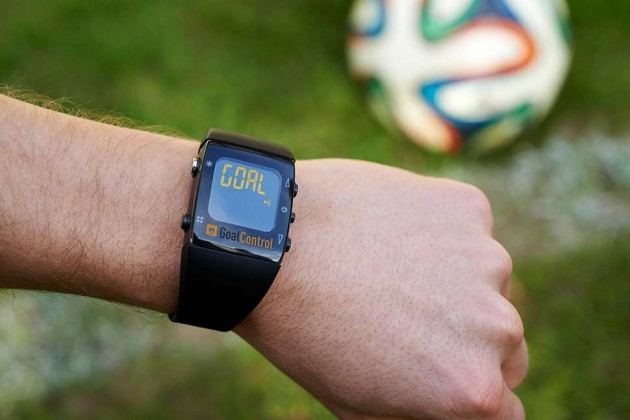
What has this to do with the World Cup? Glad you asked. This is the first year that World Cup referees will be wearing watches that will indicate if a goal has been scored, by vibrating and flashing the word GOAL on the watch display. (We actually wish there was room on the screen to say “GOOOOOOOOAAAAAAAAAAAAAAAALLLLLLL!!!!!!!”).

goal_control_970-630x420
Courtesy GoalControl

Samsung’s Gear Fit won’t tell you if your ball has made it into the net, but after a couple of runs up and down the paddock you’ll want to know how fit you are, and the Gear Fit will be able to tell you how fast your heart is pumping.

Plus you’ll be able to track your health as you shuffle from your bed to your lounge at all ungodly hours to watch your favourite matches, hopefully on a brand new widescreen television. (You still have a few weeks to upgrade before the final!)

If you’re a football fan, enjoy the next month with all the dramas, twists and underdog stories as they unfold.

And of course, a football post wouldn’t be complete without Les Murray’s performance with Vaudeville Smash. Enjoy and have a great World Cup weekend!

Samsung Smart Washer Highlights


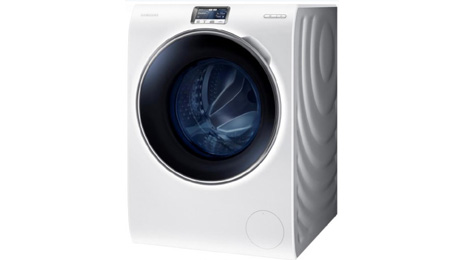
If you think that washing machines haven’t changed that much over the years, you’re about to think otherwise. This a high performance 9 kilo front load washing machine from Samsung with some extra features designed to make washing simple.

The door is made with Samsung’s own crystal gloss, with a blue colour for a touch of class and for easy viewing of the wash cycle. First thing you’ll notice is there’s no button to push or lock, just a bit of pressure towards yourself and the door’s open. The door opening is very big, great for putting in all your large linen and winter gowns.

it’s also super quiet. Samsung uses 14 stainless steel ball bearings that spin in the opposite direction to the drum to help counteract any wobbles because of uneven loads. The digital inverter motor runs at a cool temperature, so it’s more durable and Samsung back it up with an 11 year warranty.

At the bottom here of the door opening is the container for the detergent. But here’s the incredible thing – you can load over a litre of liquid detergent and it will be good for 26 washes. You can also pre-fill softener and that will be good for 20 washes.

Using the Auto optimal wash program, 4 different sensors look at the size of the load, the amount of dirt on the clothes and how much water and detergent is needed. Then it works out which cycle to use, what temperature the water should be, how long to wash, how long to rinse and the spin speed and with all of that, how much detergent and softener to dispense.

In addition to the optimal wash, there are 6 specialty cycles, that have been designed for exactly that – harder to wash situations. That includes gardening, cooking, and sports, taking the guess work out of even really messy laundry loads.

This washing machine has a a 5 inch touch screen and you can take full control of the wash in terms of selecting garment type, water temperature, spin speed and type of detergent. That last one is important because not everyone wants to use liquid detergent.The washer actually comes with two powder pebbles to insert powder detergent.

This washing machine is also wi-fi enabled. Using an app available for android and iphones, you can monitor the wash cycle, start or pause it and look at how much time before the wash completes. It will even send an alert to your smartphone when your load is ready to be put on the line.

That’s the Samsung Wi-fi Washer, a washing machine that dispenses its own detergent, can work out what wash to do based on what you throw in and can be controlled from your mobile device. Brilliant!

Samsung Curved TV Highlights

We’re here to talk about the ultimate in Samsung viewing technology – Samsung’s curved, Ultra High Definition LED TV, available now in a 55 and 65 inch screen. This TV sets a standard for immersive viewing.

The subtly curved screen design makes an immediate impact in setting a design statement in your home, with a modern aesthetic that would enhance virtually any living space. The One Connect box provides a separate hub for your inputs so there’s minimal clutter surrounding your TV. This box also helps you keep  pace with developing Samsung Smart TV and Smart Hub features.

But more than that, the images you view on the screen are immersive and panoramic. Samsung’s own technology is designed to help reduce picture distortion, to create a field of view that feels natural to the eye and helps make your TV viewing feel big and cinematic.

UHD, or ultra high definition, delivers amazing, true to life detailed images that you seriously won’t believe your eyes.

It’s not just the detail you’ll be blown away with – the micro dimming feature adjusts brightness across the image to deliver deep darks and bright whites for a clear picture, while precision black lowers the LEDs in the darkest areas even more for exceptional colour and image reproduction.

So let’s check out what this TV delivers aside from just a superb viewing experience. At the core of the viewer experience is the Smart Hub2, making it easy to discover and watch content from one central location.

All you have to do is press the Smart Hub button and you’re presented with the Smart Hub environment. You can either use your hand3 or continue to use the remote control, easily taking you to the selection you’re looking for.

The first panel is On TV4. This shows you the program you’re watching as well as related content that may be broadcast now or shortly after. This applies for all free to air channels. You can then choose to switch to that channel, record it to an external hard drive (sold separately) if it is broadcast later, or just alert you when that program is starting.

Next is the multimedia panel, which shows your photos, videos, music and social feeds. This will display all your personal multimedia content that’s available to watch on your Samsung Smart TV, including recorded TV5, and even cloud storage services like dropbox6.

The multimedia panel also shows the most relevant content pulled from your Facebook, Youtube and Twitter accounts7, allowing you to scan your feeds for content that’s important to you.

You can also make video calls through the Skype app9 as well using the inbuilt pop-up camera.

Lastly, the smart app panel  makes it easy to find and download apps, and recommends apps that could be useful to you.8

Using the smart remote control, you can ask it to help find shows you’re looking for. Whether it’s a genre like cooking or sport, or shows with particular actors, you simply use the Smart Hub remote and speak into it. Over time the TV will learn your viewing habits and help you plan and choose content that’s right for you.

That’s Samsung’s Curved Ultra High Definition LED TV – setting a standard for brilliant, immersive viewing experiences.

LG LB7500 Series TV Highlights

If you’re looking at upgrading the centerpiece of your home entertainment set up, then you’ll want to check out LG’s LB7500 series, with exceptional design, picture quality and ease of use that will make your home TV viewing a world class viewing experience..

Let’s start with the look. The LB7500 series has a sleek chrome design and a stand that makes the TV appear as though it’s floating. Even when it’s turned off, this TV is an eye catcher. Turn the TV on and you’ll see that the image goes almost to the edge – there’s only a 10 millimeter side bezel. And you can choose the screen size according to your room’s dimensions, with fifty five, sixty and sixty five inch versions available.

Still on the screen, the two hundred hertz screen refresh rate makes it ideal to see all the action with great clarity and virtually no blur – really important given the amount of sporting events on this year! The IPS panel displays bright and vivid colours, perfect for a full house of guests watching a game or even the latest blockbuster movie. Local dimming means more detail and contrast in dark scenes so you get the cinema impact at home.

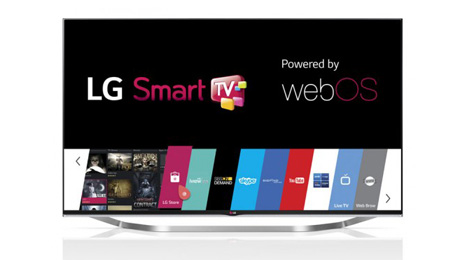
The LB7500 series features the latest Smart TV operating system called WebOS. It’s been designed to make using this TV really simple to use. In fact, there’s even a character, bean-bird, who helps you set up your TV with prompts and a little humour. His main goal is to make sure the smart remote and the internet are connected properly to the TV.

The launcher bar appears at the bottom of the screen, and has three components to it – launcher, recent and LG apps. The launcher includes apps like Youtube, ABC iview, SBS on demand and BigPond movies, which you can jump right into and explore when you have an online connection, via wi-fi or ethernet connection.

Now the recent section is cool. Apps that you have used since you turned the TV on stay active in the background, meaning it’s a cinch to go back to it. For example you could be enjoying a Youtube video, then pause mid-stream and start watching broadcast TV. Once you’re done with watching TV, you can return to Youtube and continue where you were without any loading or immediate buffering. And then the LG apps is where you’ll find all of your downloaded apps, including all your inputs as well.

LG’s magic remote is fun and easy to use. It uses an on screen cursor and if you need to enter text, for example in a browser, you just talk into the remote. Voice commands make web searching and common TV functions a breeze.

Keeping track of what you’re watching and recorded are easy with the live menu. The electronic program guide lets you plan your current viewing, while the Time Machine function can record your favourite programs directly to a USB hard drive. You can even time shift for instant replays, an important feature for game day.

Because the LB7500 series TV is connected to your home network, you can use it to play back content from your other connected devices. Miracast is a direct connection between your Android smartphone or tablet and the TV. This lets you share the content on your mobile device with friends and family on the big screen.

And lastly, 3D viewing is easy and flicker free with these lightweight and battery free glasses. Dual play give both you and your gaming partner the full screen experience from the same TV, increasing your gameplay fun.

That’s LG’s LB7500 series of TVs – stylish, easy to use and superb viewing quality. It really is a world class viewing experience.

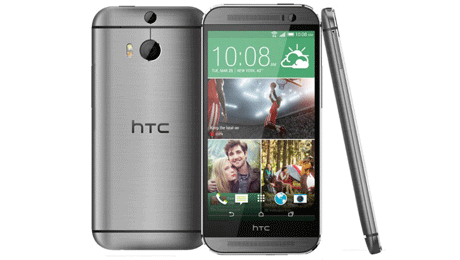
HTC One M8 Smartphone Highlights

The HTC One M8 is full of eye popping features to capture your life, show off your style and be entertained.

The One M8 is constructed with a unibody metal frame, with a curved back that makes holding the phone very comfortable in your hand. There are a couple of very special features to point out on the body.

Firstly, the speakers. With HTC’s Boomsound, you get two front facing speakers with built in amplifiers and bass to treble balancing software to keep your audio distortion free for you and your friends to enjoy.

While we’re on the front, the display is a 5 inch, 1080p panel with scratch resistant Gorilla Glass 3 that adjusts brightness depending on the ambient lighting, whether you are indoors or outside. Watch videos in HD, read ebooks clearly, or play games that almost pop out of the screen and add to the entertainment experience. And for all that content that you might want to load to take with you, there’s a micro SD card slot that accepts SD cards up to 128 gigabytes – giving you plenty of room for videos, music, pics and games.

There are two cameras on the back panel. The Duo camera takes photos with super fast focusing, and then allows you select which areas to blur out or bring into focus, giving you more control and creativity in your shots.

But more than that, the pixels in this camera’s sensor are much larger than other smartphone cameras, meaning it can capture significantly better images in low light. This means more opportunity to capture moments at dusk, at dawn and indoors where light might be dimmed.

HTC Zoe is an incredible photo software package that truly brings your pictures to life. While you’re taking your shot, Zoe is actually buffering images before you even press the shutter, and capturing a 3 second video. You can then edit group photos with smiling shots of individuals from the other photos that Zoe took, to make sure all the people in the group are smiling.

Zoe also creates a gallery of your photos. If you have other friends that use Zoe on their HTC, you can create cool Zoe highlights with the same event seen from different points of view. Create dynamic, unforgettable memories of your most important moments.

And finally from a navigation point of view, the HTC Sense 6 interface makes it easy to customise your homescreen environment and find the settings you need fast.

That’s the HTC One M8 – looks great, sounds great and captures your life like never before.


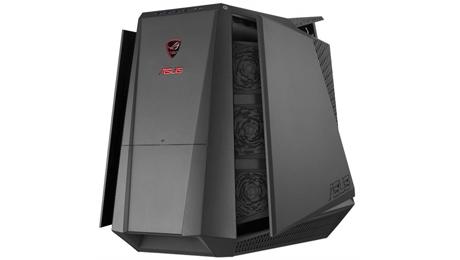
Asus Tytan Desktop Highlights

If you’re a gamer, or even just like having the best possible graphics experience possible on your PC for editing and playback, then you are going to want to check out this new desktop PC. It’s the Republic of Gamers Tytan Desktop from Asus. It has some mindblowing features that keep you at the top of your game, prepared for victory, when you’re gaming.

The Tytan G70 comes built with premium components, an efficient and effective cooling system to handle the overclocking potential of the Intel engine in an aggressive, take no prisoner case design that makes the ultimate performance statement even when it’s not turned on.

So let’s start with that striking design. The Tytan’s iconic stealth warship-inspired design is just the start. Strong, aggressive lines flare out to reveal crimson fans for that dramatic visual touch which are not just for show, they help channel cool air through the system as well. and grille red and blue LED indicators to show system readiness. As a safety measure, the chassis doors have sensors which prevent them from closing on fingers.

The ASUS TYTAN G70 features one-click Turbo Gear overclocking that allows you to make the most out of the latest 4th generation Intel Core ii7 processors without having to reboot. Turbo Gear provides simultaneous four-core CPU overclocking to push the TYTAN G70’s clock speed from 3.7GHz to two stable overclocking levels, with Level 1 at 3.9GHz and Level 2 at 4.1GHz.

The activation of Turbo Gear mode automatically opens the chassis top and side doors to reveal six front-facing and two rear-facing fans. These, along with two fans in the bottom grill and within the system, work together with the integrated water-cooled CPU and hundreds of intricately designed vents to provide effective thermal management. These cooling solutions make the TYTAN G70 ideal for marathon gaming sessions and in the long run, prolong component lifespan as well.

Great gaming response and graphics are important, but to round out your experience you’ll also want awesome sound to immerse you in your gaming world, and the Tytan has you covered in this department as well.

Through a unique mix of audio hardware and tuning software, ASUS SonicMaster brings you right into the fight. Gunshots ring out, explosions reverberate, and even footsteps become auditory cues on the digital battlefield. Be immersed in battle whether you’re using a headset or speakers. AudioWizard sound processing provides ROG TYTAN Desktops with an additional layer of audio enhancement, with up to five customizable modes you can easily switch to on the fly.

And lastly, you can pair this gaming juggernaut with a new twenty seven inch full high definition panel with a very wide viewing angle and super narrow frame that makes multi-screen setups a breeze.

That’s the Asus Tytan – great graphics, superb gaming experience and the ultimate gamer’s desktop design.

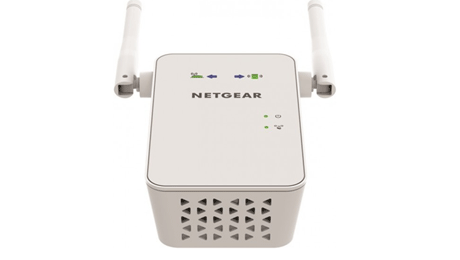
Netgear EX6100 Range Extender

Is your existing wi-fi signal too weak to reach where you need it? Then you need to know about the EX6100 AC750 Wifi range extender from Netgear. Like other Netgear range extenders, the extender works with any brand of wifi router to boost the range of your existing signal and deliver seamless, lightning fast wi-fi coverage wherever you need it.

It extends any wi-fi and maximises network speed, providing up to 750 megabits per second to the latest AC wifi devices. The powerful external antennas give wider, stronger coverage while dual band support improves signal quality.

Even better, by using both wi-fi bands simultaneously Netgear’s fast lane technology allows the range extender to establish super fast wifi connections that are perfect for HD gaming and streaming.

So, how do we set all this up? First, place the extender into an electrical outlet in the same room as your wifi router. The Power LED should turn green. Now we can extend our existing wi-fi network. Press the WPS button on the extender. Within two minutes, press the WPS button on the router. The WPS LED on the extender should light up green – indicating connection. If you have the 5GHz band on your router as well, then just repeat that step.

Now, when you use your wireless device, you’ll see the new networks you’ve just created, using the name of your original network with 2GEXT or 5GEXT added to the name. And it’s super simple to connect to these new networks – just enter the password you use on your original router.

Then we have to find the best location for this extender. The two arrows on the front will tell you if you need to bring the extender closer to the router, or your mobile device closer to the extender for optimum connection strength. Once the arrows stop blinking and the router symbol and device symbol are green, your connection is optimal.

A gigabit ethernet port also allows you to connect wired devices to your wi-fi network, or when set to access point mode, you can plug in a wired internet connection and create a new wi-fi hotspot, for example when you’re in a hotel room and only have a wired ethernet connection. Best of all, the range extender is effortless to install.The wall plug design lets you discretely plug it into any electrical outlet and directional arrows on the unit guide you to the location where the extender will work best.

Using the free wi-fi analytics app for your Android device you can test and confirm you have optimised your wi-fi network. So go ahead and give your wi-fi a boost, enjoy fast, seamless connectivity wherever you want it with the EX6100 AC750 WiFi range extender from Netgear.


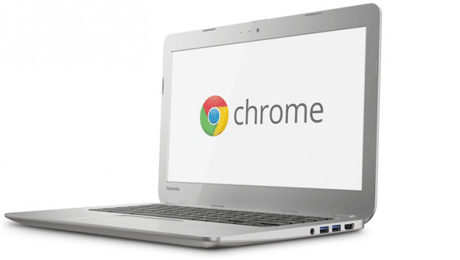
Toshiba Chromebook Highlights

Google’s Chrome Browser has become one of the most used browsers in the world. Chrome has evolved into its own operating system, Chrome OS. The Chrome OS is, in simple terms, a computing environment based entirely on the browser environment. It has its own app store and is fully integrated with all of Google’s sign-in services, including Gmail, Calendar, Google plus and Google Drive.

Chromebooks are notebooks that run on the Chrome OS platform. The keyboard is tweaked for shortcuts related to Chrome functions, and it’s an ideal second PC for someone that uses online and Google services regularly.

We’re excited to now carry the Toshiba Chromebook, with a 13.3 inch screen, an Intel dual core processor, 2GB RAM and 16GB solid state storage. For connectivity there is a full size HDMI output, two USB three ports, and an SD Card slot. The Chromebook stays connected online via a high speed N wireless LAN. The battery will last close to 10 hours, and it also has a webcam.

Specs aside, there are quite a few reasons to consider this Chromebook as your backup or second notebook, especially if you are already a google account user.

First, it’s inexpensive. If you compare the price of this to any other notebook in our range, it will easily top the list for best value thirteen inch notebook.. And for keyboard size, it really is money well spent if you are a heavy keyboard pounder while online.

Despite the price difference, one area that Chromebooks can go toe-to-toe with any other notebook or Ultrabook is boot up time. Chrome OS is very lean and isn’t much more than launching a more sophisticated version of the browser, albeit with a file management and total PC settings support system. For quick status updates or email checks, the speed is terrific.

You can share your Chromebook with confidence as other users can set up their own profile, or even as a guest, where all their browser history and downloads are deleted at logoff.

Just like the Chrome Browser, updates are pushed to the Chromebook without the user needing to get involved – no patches or service packs.

Using a Chromebook pretty much depends on you using cloud based storage. One benefit is that if you happen to misplace your Chromebook, or a stranger picks it up, there is no locally stored data – you could literally pick up a new Chromebook, sign in and you’d be able to pick up right where you left off. And right now, owning this Chromebook gives you 100GB of Google Drive Storage free, for two years.

Even if you are offline and need to work on a document, this is possible with some major apps now available to use offline, including Google Docs, Gmail, calendar, as well as a whole set of third party apps and games, the list of which is growing all the time.

That’s the Toshiba Chromebook – great value, highly productive and an awesome second notebook.