If you’re looking for the quality and creative control of a full size DSLR but want something a little more portable, look no further than our range of interchangeable lens cameras in store and online now. These cameras are similar in size to compact cameras but have interchangeable lenses, big sensors and high performance hardware so you get the functionality and versatility of a larger camera without the bulk. Let’s check out some of the areas that Mirrorless cameras shine.
Portrait and blurred background photography:
The Sony A6000 camera, when used with a 50mm fixed lens, is a bounty for anyone looking to create great portrait shots of family, friends and events. The 50mm lens, along with the fast auto focus and high resolution 24.3 megapixel sensor helps you create iconic photos that highlight the details of your subject while defocusing the background to create professional looking portraits that will surprise and delight your audience.
This was taken with the Sony Alpha 6000 with a 50mm lens in apeture mode.
Low light:
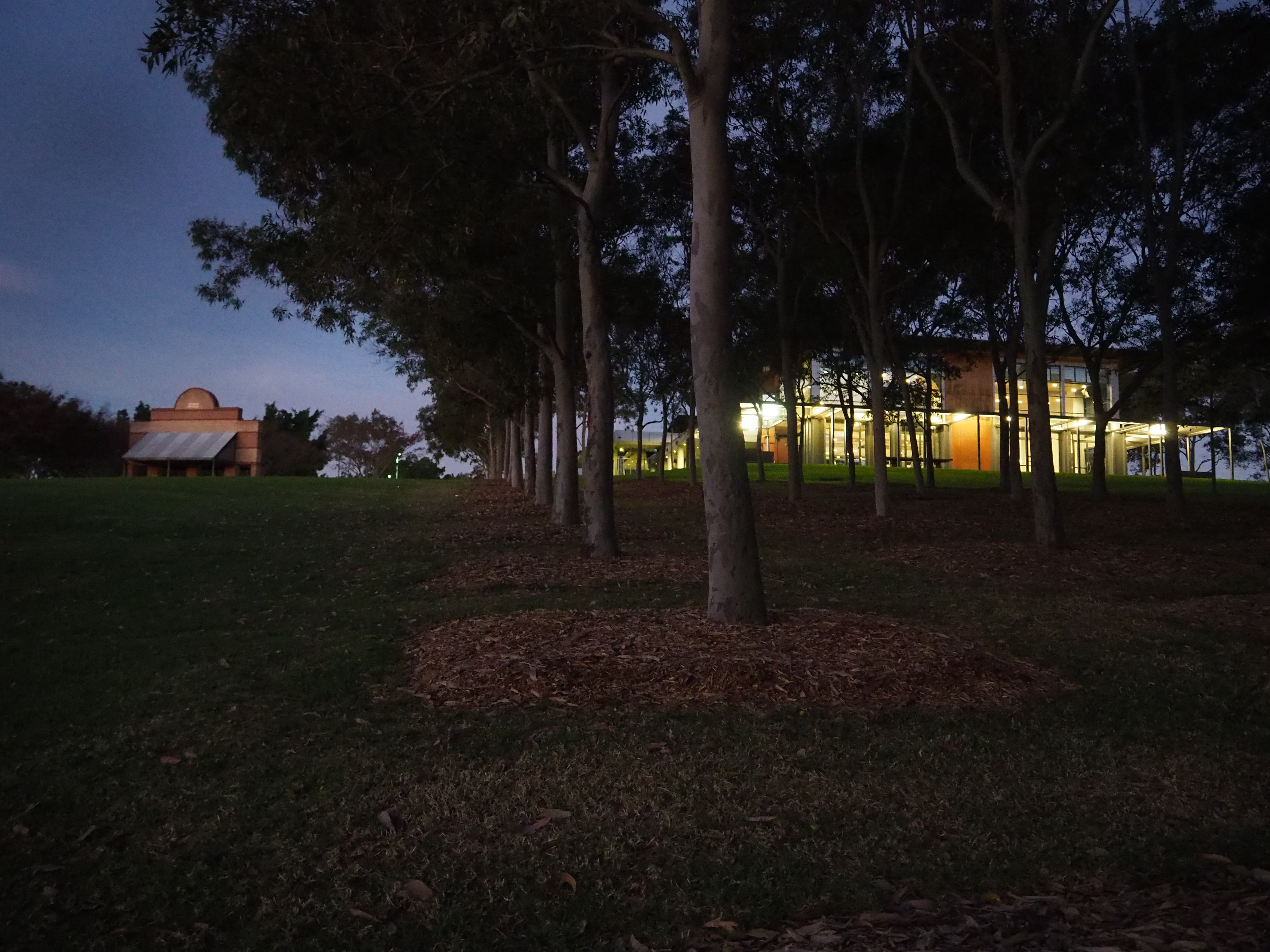
The Olympus E-M10 doesn’t just look strikingly good, it takes great shots in all kinds of environments. In low light, the E-M10 uses its large 16 megapixel sensor and selectable ISO levels up to 25,600 to deliver stunning photos even in dusk or dawn settings. Where other cameras or smartphones will struggle to capture details and colour in poor light, the Olympus E-M10 will consistently deliver amazing images at any time of day.
This was taken at dusk with no tripod, with the Olympus EM-10.
Fast shutter speed:
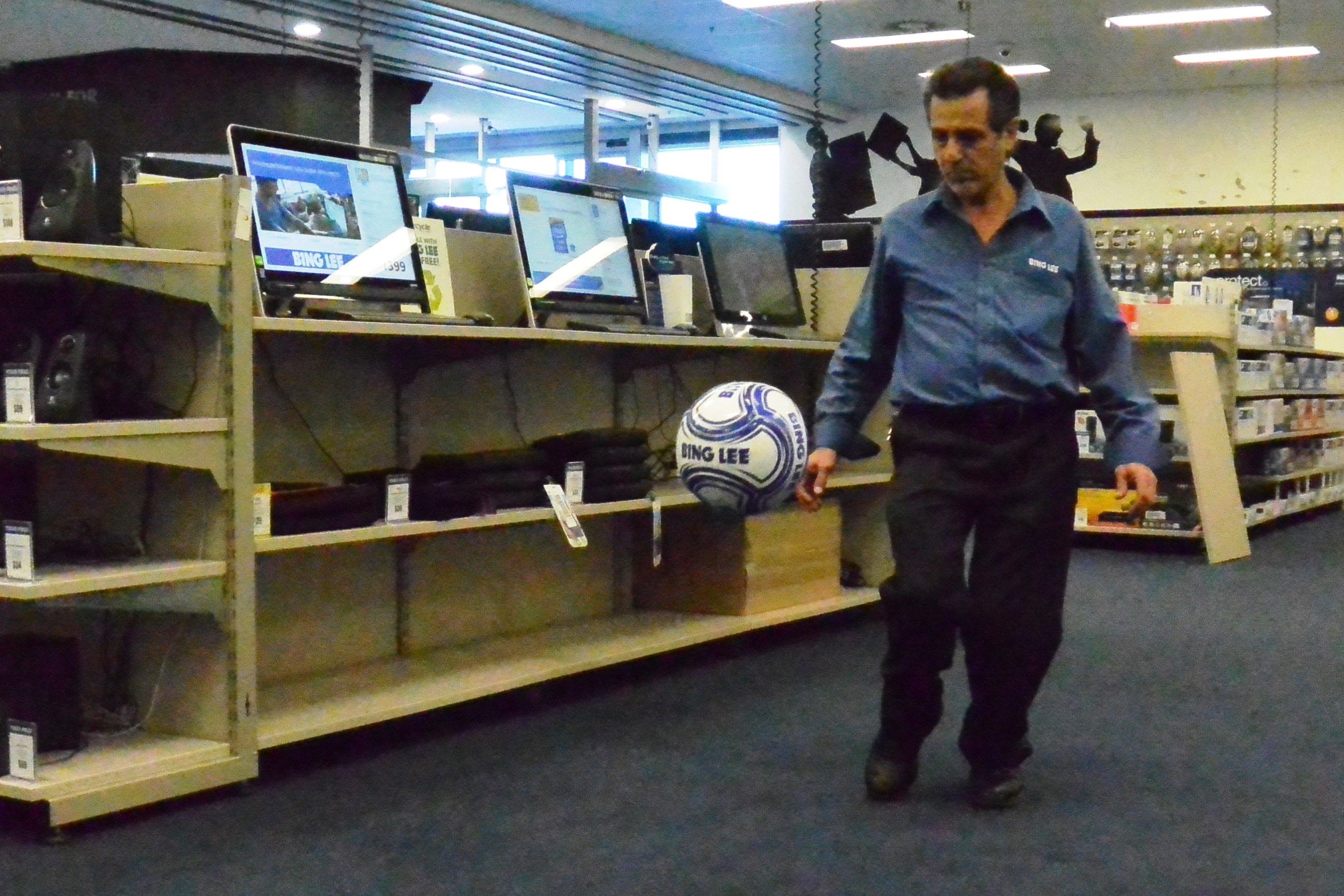
There’s nothing more frustrating than seeing a great event happen in front of you and your camera is too slow to capture the action. Just as bad, you do manage to snap a shot and it’s just a blurry mess. With the Nikon 1 J3, you’ll never miss a shot. With just 80ms release time in single-point autofocus and 15 frames per second of continuous shooting, it’s the fastest interchangeable camera.
Taken with a Nikon J3 in shutter priority mode. Randomly captured the Bing Lee logo on the ball 🙂
As you can see, there are some great benefits to Interchangeable Lens Cameras – easy to take with you anywhere, with many DSLR features in a much more compact size.
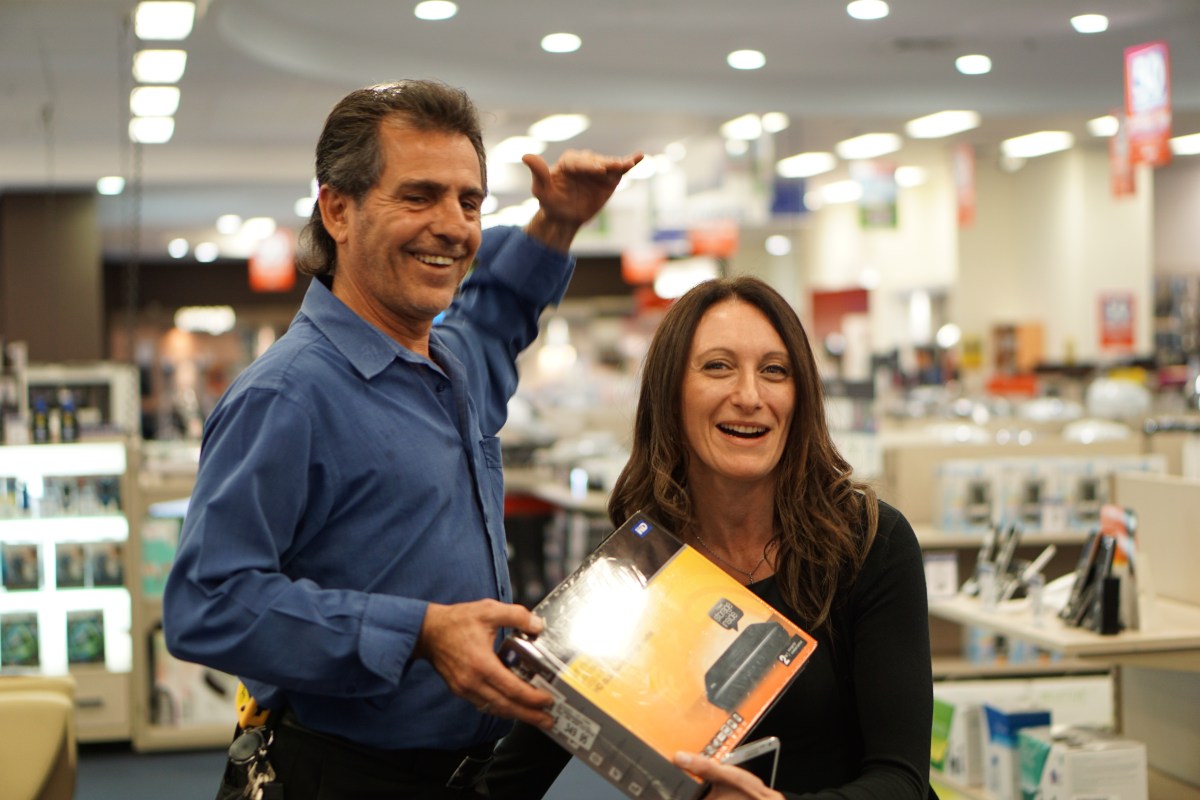
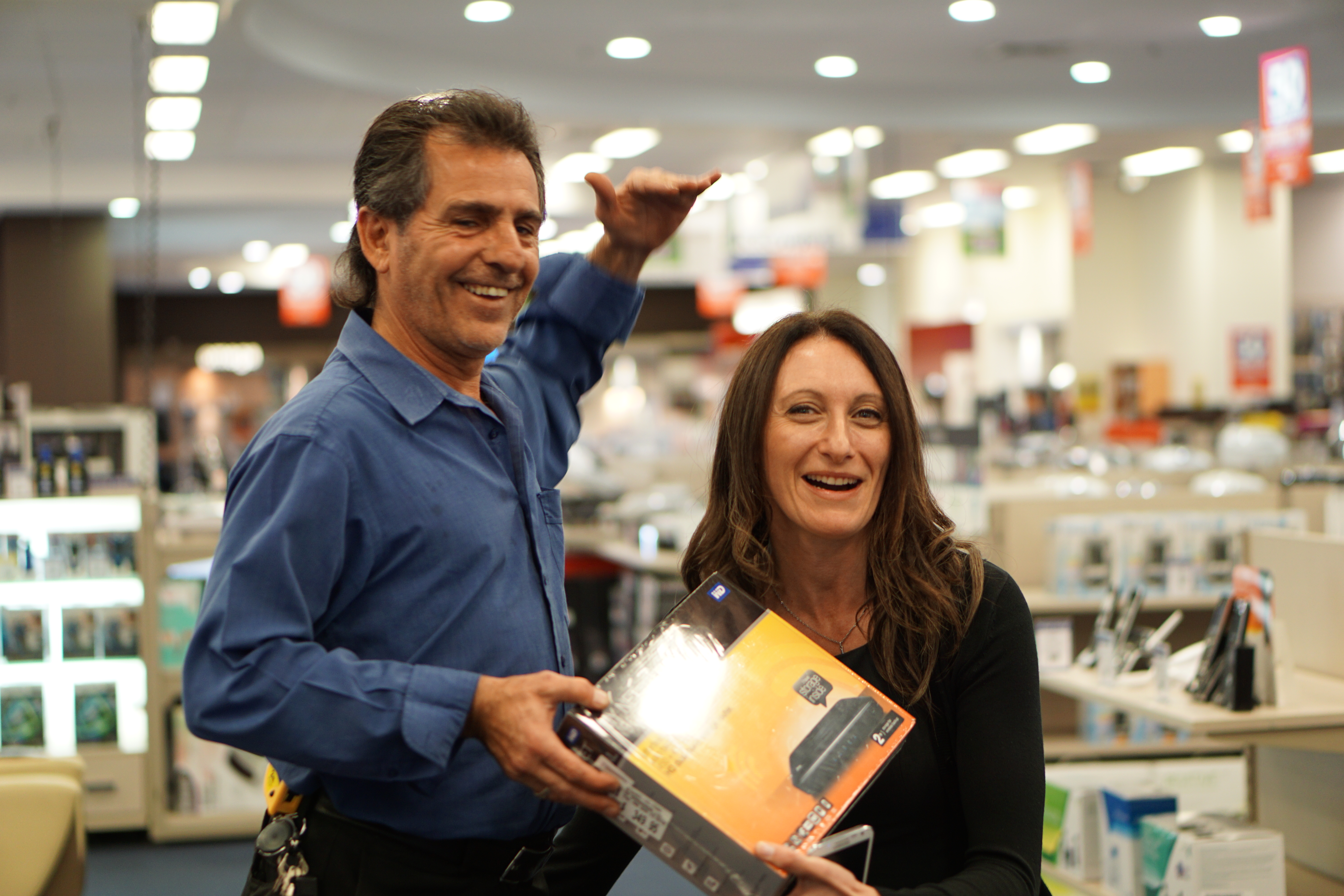
As a bonus, here are a couple of out-takes from the Sony portrait shoot – our staff member Claudio may have been “stretching the truth” with his customer interaction!
Is Claudio really that tall?And the truth is revealed – we didn’t need Photoshop, just a close up framing!
Growing up in a household full of people is always fun, whether it’s flatmates or family. One thing about living in close quarters is everyone has their own taste – in clothes, cars and of course, music. With Samsung’s new Multiroom speaker setup, you can have one central system where everyone can enjoy their own music, or have the same music streamed to all speakers – the choice is complete your own.
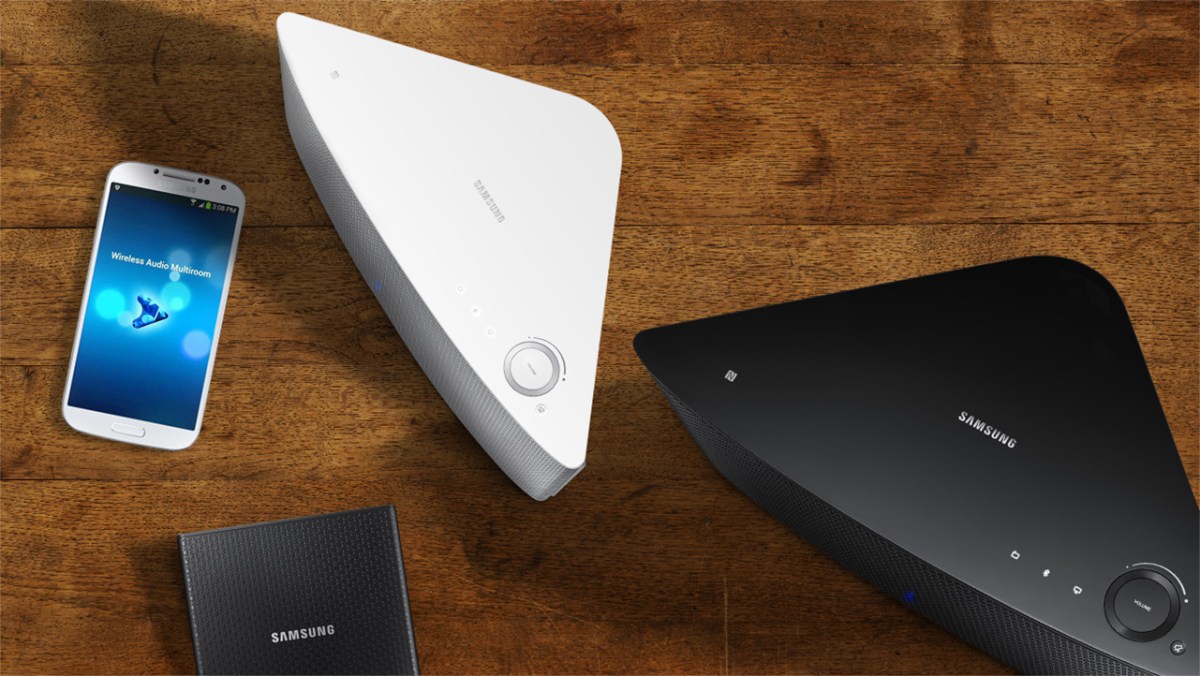
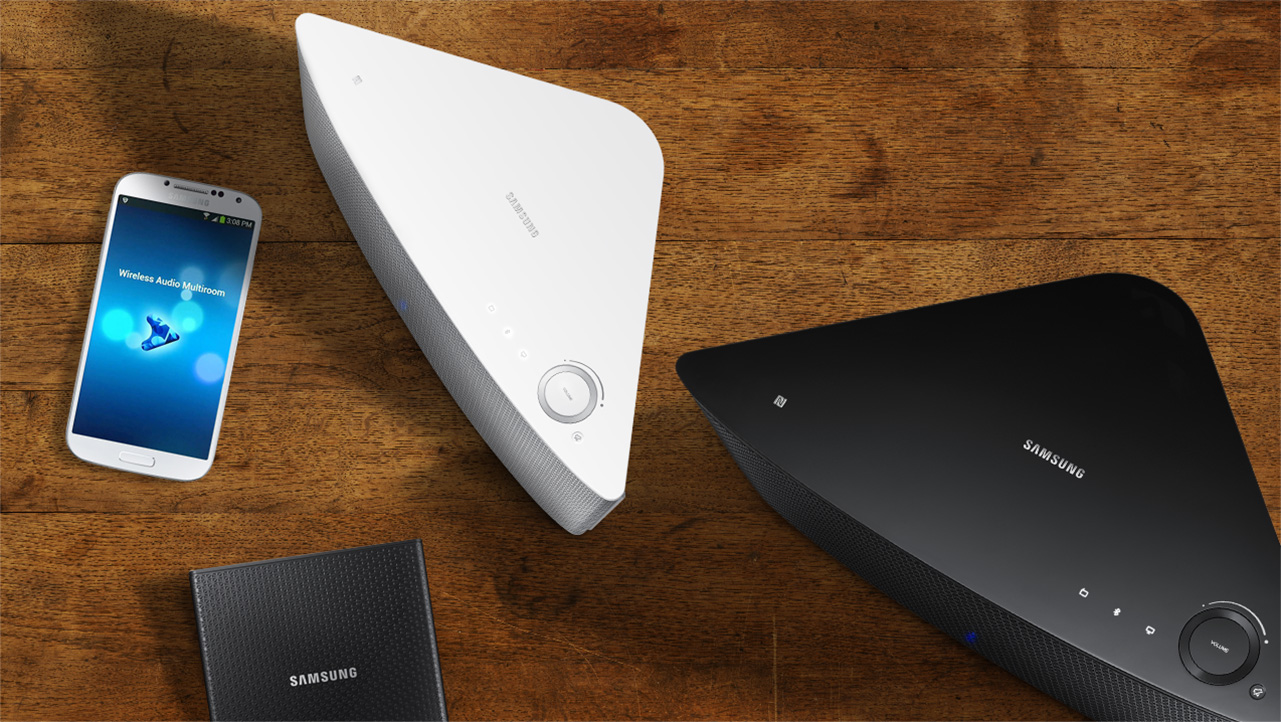
With Samsung’s new speakers, you can easily control content from speaker to speaker, room to room.
So let’s look at how easy it is to connect these speakers to make your multiroom system work in 3 easy steps. First, you’ll need the Multiroom hub – this is sold separately to the speakers. Connect the Multiroom hub to power, then connect an ethernet cable from the hub to your router. So effectively the hub needs to be placed next to your router. Now, you will be able to connect to each multiroom speaker.
So once you have set up each speaker in each room according to your needs, plug them into a wall socket as they each need power. Thirdly, download the wireless audio multiroom app from either Google play for android smartphones or the itunes app store.
So before we move on to the next bit let’s talk quickly about the speakers. There are two types to choose from. The M5 is a 2 way stereo speaker combining 1 woofer and 2 full range drivers The M7 is a larger more powerful 5 way speaker with 1 woofer, 2 mid range and 2 tweeters. Now you can set these up in a few different ways. Firstly you can have just one in the room which will give you stereo sound from the one speaker. Or, you can have two speakers with decent amount of separation for a much wider stereo and obviously louder audio experience.
Now the other important thing here is that once you have the hub and speakers set up, they will now form part of what is a called a mesh network. This essentially means that all speakers don’t need to be in contact with the router, they just need to be in range of another speaker. Think of it as a daisy chain – as long as one speaker is in range of another, regardless of the router, then it can deliver content. Mesh networks are great for audio because you can stretch it way beyond normal router distances, like the pool or the back of the yard.
So if your device needs the app and to be connected to the same network. you can then choose which speakers to send a music track to. In fact you can send an entire playlist to that speaker. You can then create another playlist and send that to another speaker, or set of speakers if you’ve got the wide stereo set up.
And it isn’t just local tracks – Samsung’s Multiroom is compatible with streaming services like Pandora and Spotify Connect and TuneIn as well. So you can use the music service you currently subscribe to and completely control what plays in what room – keeping everyone happy.
Even if you’re home alone, the room to room feature is also cool, with the music following you as you move around the house. Here’s a great example of that. In the lounge room you may not have set up Multi room speakers, but here’s a tip – if you have a series 7 sound bar, you can stream your favourite music to that, keeping your home entertainment area clutter free by connected to your sound bar as a multiroom speaker. Very cool! It works by identifying it on the app as a speaker, which you then select.
Taking that one step further, selected Samsung Smart TVs can act as a source, pushing out content like concerts or even sports matches so the whole family can listen in to the action no matter where in the house they are!
That’s the Samsung multi-room system – great control over your audio content with the ability to expand as your home and family changes and great connectivity with other Samsung AV equipment!
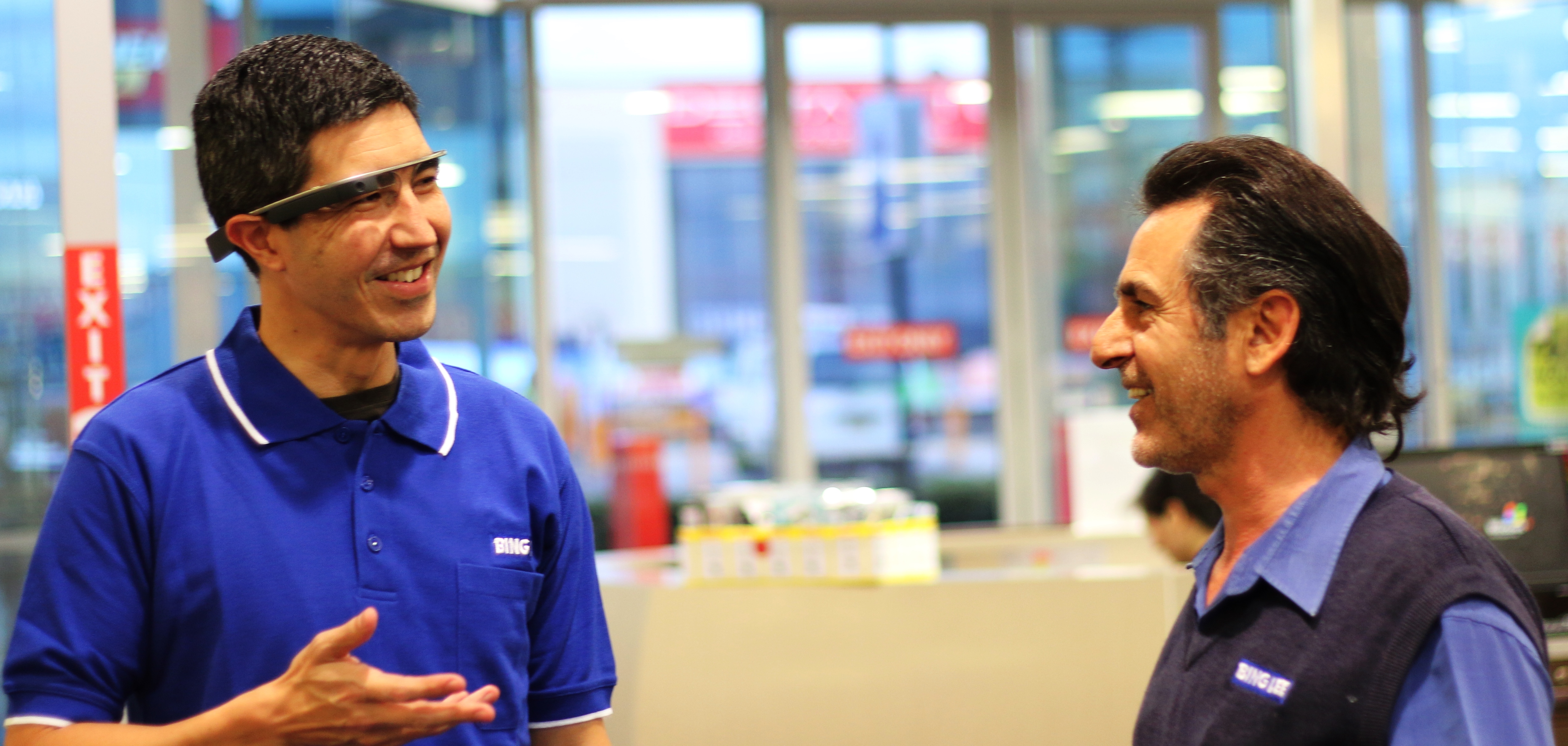
If you are at all interested in technology, then you’ve probably heard of Google Glass – it’s a wearable PC that you, well, wear on your head like glasses and see a small screen floating in front of you (in the top right hand of your right side to be exact). It’s a bleeding edge product that is still in beta form and probably won’t be available for mass consumption until some time next year.
What can you do with Google Glass? You can get directions, ask Google questions, translate foreign languages on the fly, receive and send messages as well as take pictures and record video.
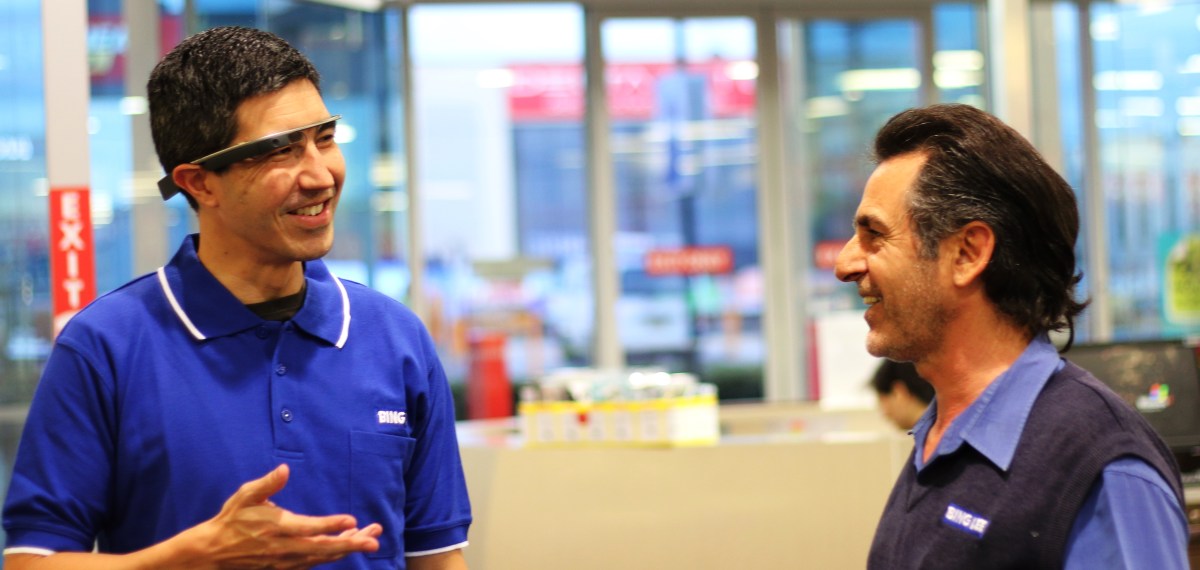
The last point is the aspect that we tried out in a store this week, using our Old Guildford showroom for a “customer’s-eye view” of the store, talking to a couple of the sales staff in the store, checking products and even ordering a hot espresso!
We used Google Glass to create a store tour for our customers.
As Google Glass is not yet available in Australia, this is probably one of the first times that this technology has been used in a retail environment – and we’ve kept the vision and audio raw with just some editing to compress the tour down to three minutes for your enjoyment.
So sit back, relax and let us take you on a journey through our Old Guildford store…
You may have noticed a few people walking around with watches that look suspiciously like touch screens – yes, this is the year that wearables finally come into the limelight.
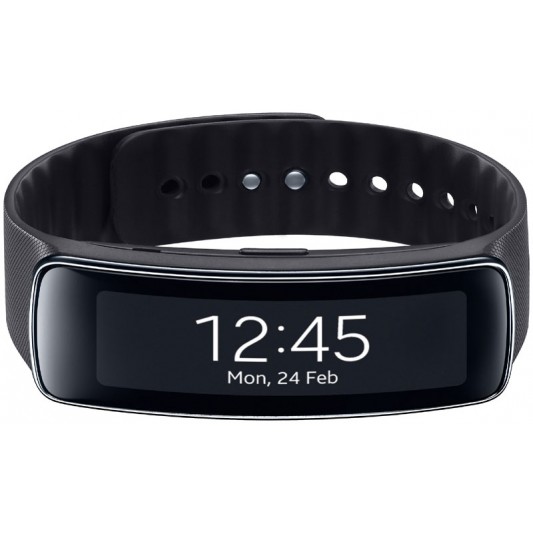
One of the best looking wearable devices around is the Gear Fit, a slim bracelet-style wearable that connects to your devices and delivers notifications for incoming phone calls, SMS and emails, on a curved OLED display.
The Samsung Gear Fit
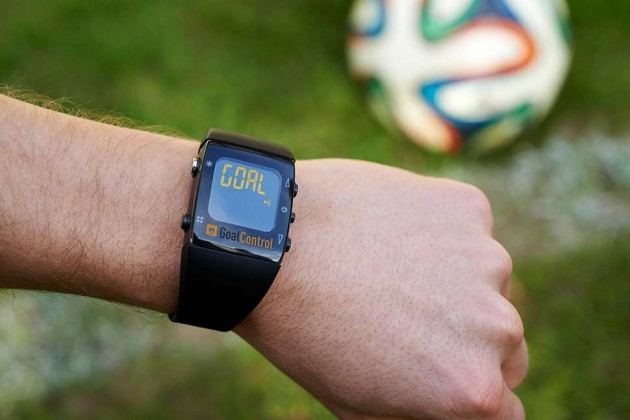
What has this to do with the World Cup? Glad you asked. This is the first year that World Cup referees will be wearing watches that will indicate if a goal has been scored, by vibrating and flashing the word GOAL on the watch display. (We actually wish there was room on the screen to say “GOOOOOOOOAAAAAAAAAAAAAAAALLLLLLL!!!!!!!”).
Courtesy GoalControl
Samsung’s Gear Fit won’t tell you if your ball has made it into the net, but after a couple of runs up and down the paddock you’ll want to know how fit you are, and the Gear Fit will be able to tell you how fast your heart is pumping.
Plus you’ll be able to track your health as you shuffle from your bed to your lounge at all ungodly hours to watch your favourite matches, hopefully on a brand new widescreen television. (You still have a few weeks to upgrade before the final!)
If you’re a football fan, enjoy the next month with all the dramas, twists and underdog stories as they unfold.
And of course, a football post wouldn’t be complete without Les Murray’s performance with Vaudeville Smash. Enjoy and have a great World Cup weekend!
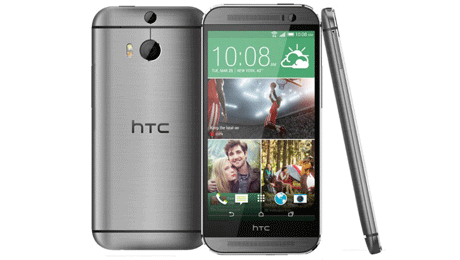
The HTC One M8 is full of eye popping features to capture your life, show off your style and be entertained.
The One M8 is constructed with a unibody metal frame, with a curved back that makes holding the phone very comfortable in your hand. There are a couple of very special features to point out on the body.
Firstly, the speakers. With HTC’s Boomsound, you get two front facing speakers with built in amplifiers and bass to treble balancing software to keep your audio distortion free for you and your friends to enjoy.
While we’re on the front, the display is a 5 inch, 1080p panel with scratch resistant Gorilla Glass 3 that adjusts brightness depending on the ambient lighting, whether you are indoors or outside. Watch videos in HD, read ebooks clearly, or play games that almost pop out of the screen and add to the entertainment experience. And for all that content that you might want to load to take with you, there’s a micro SD card slot that accepts SD cards up to 128 gigabytes – giving you plenty of room for videos, music, pics and games.
There are two cameras on the back panel. The Duo camera takes photos with super fast focusing, and then allows you select which areas to blur out or bring into focus, giving you more control and creativity in your shots.
But more than that, the pixels in this camera’s sensor are much larger than other smartphone cameras, meaning it can capture significantly better images in low light. This means more opportunity to capture moments at dusk, at dawn and indoors where light might be dimmed.
HTC Zoe is an incredible photo software package that truly brings your pictures to life. While you’re taking your shot, Zoe is actually buffering images before you even press the shutter, and capturing a 3 second video. You can then edit group photos with smiling shots of individuals from the other photos that Zoe took, to make sure all the people in the group are smiling.
Zoe also creates a gallery of your photos. If you have other friends that use Zoe on their HTC, you can create cool Zoe highlights with the same event seen from different points of view. Create dynamic, unforgettable memories of your most important moments.
And finally from a navigation point of view, the HTC Sense 6 interface makes it easy to customise your homescreen environment and find the settings you need fast.
That’s the HTC One M8 – looks great, sounds great and captures your life like never before.
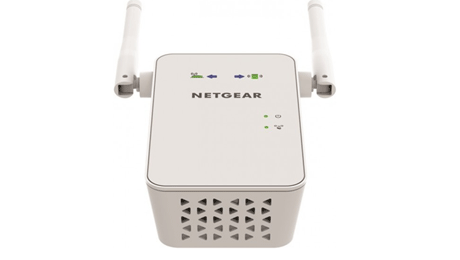
Is your existing wi-fi signal too weak to reach where you need it? Then you need to know about the EX6100 AC750 Wifi range extender from Netgear. Like other Netgear range extenders, the extender works with any brand of wifi router to boost the range of your existing signal and deliver seamless, lightning fast wi-fi coverage wherever you need it.
It extends any wi-fi and maximises network speed, providing up to 750 megabits per second to the latest AC wifi devices. The powerful external antennas give wider, stronger coverage while dual band support improves signal quality.
Even better, by using both wi-fi bands simultaneously Netgear’s fast lane technology allows the range extender to establish super fast wifi connections that are perfect for HD gaming and streaming.
So, how do we set all this up? First, place the extender into an electrical outlet in the same room as your wifi router. The Power LED should turn green. Now we can extend our existing wi-fi network. Press the WPS button on the extender. Within two minutes, press the WPS button on the router. The WPS LED on the extender should light up green – indicating connection. If you have the 5GHz band on your router as well, then just repeat that step.
Now, when you use your wireless device, you’ll see the new networks you’ve just created, using the name of your original network with 2GEXT or 5GEXT added to the name. And it’s super simple to connect to these new networks – just enter the password you use on your original router.
Then we have to find the best location for this extender. The two arrows on the front will tell you if you need to bring the extender closer to the router, or your mobile device closer to the extender for optimum connection strength. Once the arrows stop blinking and the router symbol and device symbol are green, your connection is optimal.
A gigabit ethernet port also allows you to connect wired devices to your wi-fi network, or when set to access point mode, you can plug in a wired internet connection and create a new wi-fi hotspot, for example when you’re in a hotel room and only have a wired ethernet connection. Best of all, the range extender is effortless to install.The wall plug design lets you discretely plug it into any electrical outlet and directional arrows on the unit guide you to the location where the extender will work best.
Using the free wi-fi analytics app for your Android device you can test and confirm you have optimised your wi-fi network. So go ahead and give your wi-fi a boost, enjoy fast, seamless connectivity wherever you want it with the EX6100 AC750 WiFi range extender from Netgear.
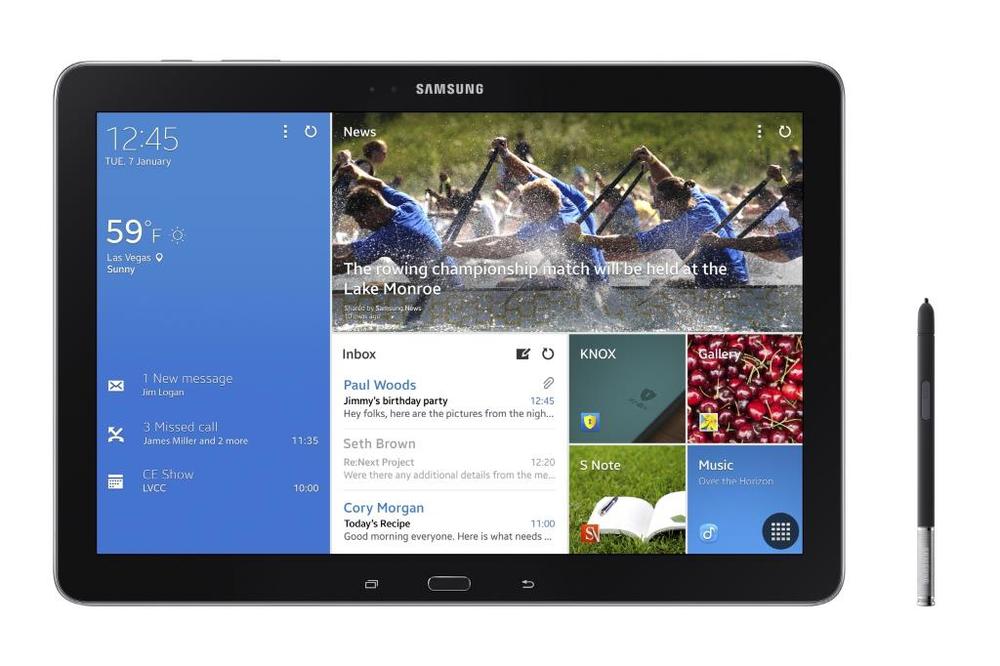
The Galaxy range of tablets from Samsung are now well known for their versatility and range, catering for different age groups and professions and entertainment applications. Samsung are clearly not sitting still, as they announced another 4 models that will be launching in the next few months. These include the Galaxy NotePRO (12.2-inch), which comes equipped with an S-Pen, and the TabPRO range (12.2, 10.1, 8.4-inch).
The Galaxy NotePRO and TabPRO series are all about premium style and powerful performance in a tablet. Samsung have thought of every type of user case scenario, whether work, play or education. The Samsung Galaxy NotePRO and TabPRO models feature a crystal-clear, WQXGA display, which is a 2560 x 1600 resolution. In comparison, Full HD TV’s have a 1920 x 1080 pixel count.
The Samsung Galaxy NotePRO and TabPRO 12.2-inch display is actually the first of its kind in the world, and that size screen makes it ideal for both content creation and consumption. With a larger viewing area, the 16:10 screen allows users to enjoy stunning Full HD video play and see even more information when needed. According to people who have had their hands on this unit, they actually feel very light and potable given the screen size.
Samsung has designed a new screen interface called the Content Home, with allows real tailoring of the content on a dashboard that automatically updates with news or social feeds that are set up. Frequently used apps can also be placed on this screen for instant access. The benefit of the larger screen size is that it is much closer to that of a traditional paper magazine size, so reading mags or ebooks are even more comfortable and enjoyable.
At that size, you might thinking that this size tablet might be able to reaplce your notebook. And you know what? You could be right.
The Samsung Galaxy NotePRO and TabPRO (12.2) come equipped with a variety of productivity tools to help you manage both personal and professional sides of tablet use.
Multi Window enables users to split the screen up into four different windows and an innovative, Virtual Keyboard has enough space to type comfortably, with a subtle vibration on each virtual key press delivering a more realistic typing experience.
The Samsung S Pen has been a huge point of difference for the Note ranges, and it’s also included in the Galaxy NotePRO. Features such as Action Memo, Scrapbook, Screen Write and S Finder deliver a more responsive, productive and overall efficient tablet experience. In addition, a great feature called Pen Window enables users to simply draw a window of any size on the screen, and instantly access unique in-application features such as YouTube or a calculator.
If you’re using the tablet as an extension of your home or work desktop or notebook PC, you can easily access and control that PC directly through the Galaxy NotePRO or TabPRO with the Remote PC app so you can edit and save files remotely.
Just like the current range of Galaxy tablets, the upcoming Samsung Galaxy NotePRO and TabPRO line will come in both Wi-Fi and Wi-Fi with 4G. You’ll have a choice between the 12.2-inch Galaxy NotePRO that comes with an included S Pen, plus the 12.2-inch Galaxy TabPRO, Galaxy TabPRO 10.1-inch and 8.4-inch without the S Pen.
Here at Bing Lee, we’re excited to see these appear in our stores. We’ll keep you in the loop as a release date gets closer.
At the recent CES in Las Vegas, “wearables” was the category on everyone’s tongue, and it will be very interested to see how this category develops, and what it’s really going to mean in terms of changing our lifestyles and habits.
Being a runner, I’ve been using so called wearables for a long time now. In fact I had one of the original Polar heart rate monitor watches that had a pod that went on your foot to measure your movement. Now it’s a Garmin GPS watch with heart monitor.
The thing with these performance wearables is that they are not really permanent fixtures – you put them on when you need them and take them off when you’re not doing strenuous activity. The rise of the so called activity tracker is something quite different – unobtrusive and ever present.
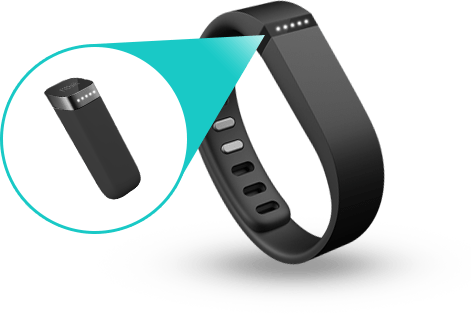
I got myself a Fitbit Flex to primarily track my sleep patterns, as I feel like I’m quite a restless sleeper. Because it measures movement, it can provide some really good data on the period that you would be most unaware, that is, sleep time. As it turns out, I sleep for around 6 hours and toss and turn around 10 times a night (that needs to improve).
Because there’s no actual GPS built into the wristband, it approximates the amount of steps, distance and calories by measuring your movement. It provides a really good baseline for your daily habits, which leads to this sort of “gamification” of my waking life.
I’ll look at the Fitbit app once in the morning and then again in the early afternoon to see where I’m at. You can also just double tap the band to get a basic progression bar. If I feel like I haven’t walked enough steps to make the day’s quota, I’ll consciously move around more or stop putting off that run around the local streets and get out there.
While I was running, the wristband vibrated, which means that I’d completed the day’s goal, and that is a strangely satisfying moment – like finishing the next level of whatever game you’re currently into.
I actually like this idea of being able to constantly tap into this constant telemetry feed of myself. I feel like it’s comparable to the black box recorder on planes. For example, if something did happen to me, I fell ill or collapsed (knock on wood!), medics or family could synch my Fitbit to see how the last few days were for me. Was I over exercising, was I having adequate sleep, were my activity levels very different to the norm? These things would normally not be able to be quantified to any accurate level, but this data could be passed on to a medical team.
The Fitbit Flex works for me because it’s on me all the time and serves a practical purpose for motivation and information; doesn’t require daily charging so there’s no battery anxiety; and is small and light enough that it doesn’t really register. And that’s probably the test of a good wearable.
Have you outgrown your home network? Think about how many devices you were using 2-3 years ago and how many you are using today. Today’s digital homes have an average of 10 WiFi devices with multiple family members online at the same time, web surfing, music streaming, watching video, on devices from smartphones and tablets to smart TVs and game consoles.
This can lead to frustration when experiencing slow connection speeds, buffering, gaming lag, poor WiFi range and WiFi dead zones. (Could show shot of buffering on YouTube video or no/1 bar on WiFi signal of tablet/smartphone)
WiFi technology has evolved greatly overly the last few years and a WiFi network today needs to be able to handle all of your mobile and entertainment devices. Upgrading your network is easy and will allow you to use more devices anywhere in the home, anytime you want.
We’re going to demonstrate how easy it is to upgrade and set up your home wireless network.
Create a futureproof home network by upgrading to the latest in WiFi technology with a NETGEAR next generation Wireless AC product. You’ll experience greater wireless coverage, faster wireless speeds and the ability to easily connect more devices. All NETGEAR AC products are NBN ready.
Now, upgrading your home network is easy. In just a few simple steps you can easily upgrade your modem router and overcome your network problems. NETGEAR offer simple CD less installation for all their new networking gear.
The first thing you will need is an active internet connection with a service provider. Unbox the router, taking out the main product and the power supply. Then, install your modem or modem router. Today we are using a Netgear D6200. Connect the router to your internet service – You can connect either directly to an ADSL line or to a fibre/cable modem.
Connect the power adapter to the router and plug the power adapter into an outlet. Wait until the Wi-fi LED turns solid blue. Then, connect a computer. You can do this with a cable or connect wirelessly. You would use an Ethernet cable to connect your computer to an Ethernet port on your router, or connect wirelessly by using the preset wireless security settings on the label on your router.
NETGEAR Genie is an easy step by step guide to help you set up your network quickly and correctly. It is your home network dashboard that you can access via computer, Tablet or smartphone.
Genie lets you easily view, manage and control your entire home network, and can also help to fix common network problems should they arise. NETGEAR Genie makes home networking easy. Should you need it, NETGEAR also offer a 24/7 support line to assist you further. Now you’re connected!
By upgrading your wireless home network you will experience faster connection speeds, greater range and improved online experience on all of your connected devices throughout your home.
Today I’d like to show you a new way to save and organise your digital life plus access your stuff from anywhere on any device. Introducing WD’s newest personal cloud storage offering, MyCloud.
Mycloud gives you complete control over your personal content, allowing you to keep it safe at home, yet always with you. Unlike public cloud solutions that either backup or store your photos, videos and files on a remote server, Mycloud keeps your stuff secure in your home network.
There are no monthly fees and you get terabytes, not just gigabytes of storage. Because 1 terabyte holds up to two hundred thousand photos or a hundred and twenty hours of video, and who can store all that with just gigabytes.
Mycloud also comes loaded with a dual core processor for the performance you need to stream media seamlessly, and transfer files without skipping a beat. It also has a USB three expansion port to add capacity to your personal cloud.
With MyCloud, it’s easier than ever to install and manage your personal cloud storage. To get started, simply plug your MyCloud to your wifi router. Download the My Cloud app and connect to the drive, that’s all you need to do to be up and running in seconds. The WD websitewww.wd.com/setup will walk you through more advanced features via step by step how to tutorials. Here you can also access all the software you need to support your My Cloud.
Once you are set up, it’s a breeze to save your stuff in one central location. Just drag and drop the files that you want to save on your personal cloud using the MyCloud app for your desktop. This app keeps your computer connected to your personal cloud no matter where you are, whether you’re on a mac or a PC. From your app you can easily manage and organise your files and share direct links to specific photos, videos, folders and even presentations via email either as a link to that file or folder or the file itself.
Backing up your data is extremely important. If your computer has issues, you know that the things that are really important to you are safe. Mycloud works seamlessly with your mac or PC computer to save and wirelessly back up your files on your home network.
For PCs, WD’s backup software, WD Smartware Pro, makes it easy to protect your personal content. Simply select the files you want to back up Select your Mycloud to back everything up to, and choose your backup schedule. It’s really that easy.
With the Mycloud dashboard you have a clear view of your drive’s status at anytime. You can also share your photos, videos and documents with family and friends, and customise how these users access your drive, so they only see the shared folders you want them to see.
Being able to access and see what important to you when you’re at home is ordinary. Being able to access and share those memories anywhere in the world is extraordinary. With WD’s free Mycloud apps, all your personal content on your drive is available to you on your smartphone or tablet wherever you are.
Once the Mycloud app installed on any iOS, Android or windows phone device, you can view your folders, share your photos with friends, watch a movie on your ipad, and stream your music library. If you’re going on a trip or even getting on an airplane, you can download files directly to your phone or tablet and watch them when you’re not connected.
Most of us take tons of video and photos on our smartphones and tablets which takes up a lot of memory on your mobile device. With the Mycloud app you can instantly free up space on your phone by directly uploading photos and videos directly to your drive at home.
If you’re a dropbox, sky drive or google drive user, you can access your account within the mycloud mobile app and share files between your cloud service and your own personal cloud. There’s no need to pay extra fees for more capacity. Get the most out of your public cloud and your personal cloud all on one device. Mycloud also works with other public clouds including google drive and skydrive.
There you have it, WD’s Mycloud is the newest personal cloud storage solution that keeps your media safe on your home network so you can access it anywhere on any device. You can protect your content with automatic file back up and free up space on your tablets and smartphones with the direct upload feature. Setup is as easy as 1-2-3




 The Bing Lee Blog