Samsung Galaxy Tab2 7.0 Tablet

Superseded by the new Samsung Galaxy 3 range

The new Galaxy Tab2 7.0 is now in stores, and we’ve got one here to see what’s in the box and take a closer look at Samsung’s latest 7 inch Android tablet offering.

When we lift the lid off the box, we see the Tab2, with its plastic protective sticker. Lifting up the cardboard Tab, we can see the power supply, australian adapter, and USB cable. Over here we have the quick start guide and underneath is a set of personal headphones with different sized ear buds to help fit most ears.

The Tab2 7.0 weighs in at only 345 grams, is very easy and comfortable to hold in one hand, and is 10.5 millimeters thin. The natural way to hold this device is in the portrait mode.

It keeps its ports to a minimum, with the proprietary connection underneath used for both USB and PC connection, and for recharging via the power supply. There’s no buttons on either side, and the top area contains the power button, volume toggler, microSD card slot and headphone jack.

The back of the unit contains a 3 megapixel camera, and the front has a VGA camera for video chat services. At the front we also find the speakers for a front firing audio experience. As we know most tablets have the speakers at the bottom or at the back, so it’s good to see these have been placed where it makes most sense.

The screen is a 7 inch 1024 by 600 LCD, and is powered by a 1GHz dual core processor. It uses N wireless for fast internet access and Bluetooth for connection to keyboards and other wireless devices.

Samsung have made a few tweaks to the Android 4 operating system to make it easy to find and consume content, as well as commonly used apps.For example, the Tab2 7.0 allows you to unlock your device through face recognition instead of a password.

The S suggest app looks at popular apps on the Google Play network and suggests hot apps for you to try based on your app usage. You can even log in via facebook to see if your friends are suggesting or liking any apps. It’s another way to discover content and apps that you may not have otherwise. The S suggest also filters the apps to ensure they are compatible with your device.

All share play is another app that lets you take advantage of any DLNA-compatible device in your home. For example, you can push Tab2 movies to your big screen TV, or watch content that is on your PC.

Samsung hubs help you manage your content into easy to remember areas. Games Hub for gaming, Readers Hub for eBooks, and Music Hub for music.

Samsung’s Live Panel reveals commonly used tools for instant access no matter what you’re doing, like calculator, alarm, music player and task manager, making it even easier to multitask.

Being a Google Android device, you can customise your home page with widgets to deliver live feeds of your choice, such as weather, news, email and finance updates right there on the screen.

Audio and video format support is also quite extensive, with audio in MP3, FLAC, WAV and WMA, and video in MP4, WMV, MKV and AVI among the formats that can be played back without a third party app.

Samsung also include a heap of localised content as well, such as Channel 10, Reading Eggs, Quickflix, Good Food Guide and Magshop which has access to a huge range of Australian digital magazines. Of course, there is access to the Google Play marketplace as well for your own choice of apps.

The new Samsung Tab2 7.0 makes it easy and fun to consume your favourite content, and with heaps of Australian produced content and smarts to use with your existing devices at home, it’s a great option for your mobile lifestyle.

So come on in to your nearest Bing Lee store or purchase online right now.
3 Times The Fun With Samsung Galaxy Tab3

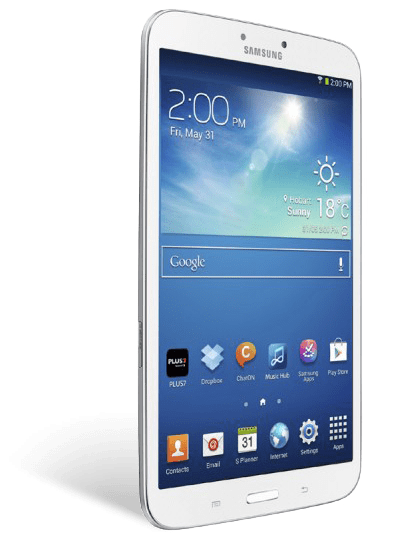
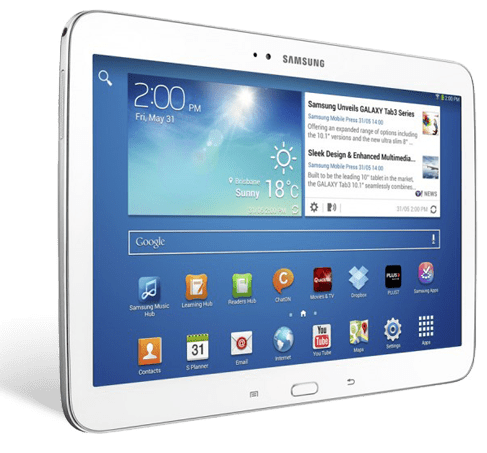
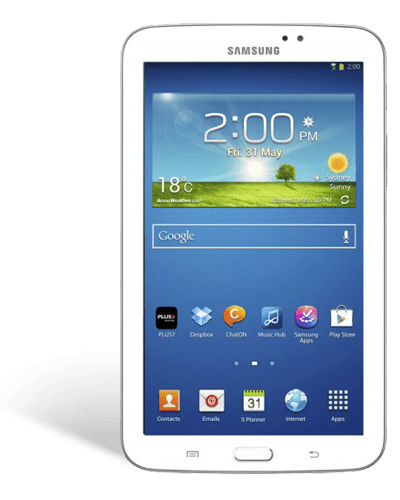
Tablets are fast taking over from notebooks in popularity when it comes to on the go computing, and Samsung has released its new tablet line up called the Galaxy Tab3 series, with three models in the range – a 7 inch, 8 inch and 10.1 inch. Let’s have a quick look at each, and the great features across entertainment, gaming and learning. Now, firstly take the tablet, feel how light and thin it is in your hand.

Galaxy Tab3 7″

The Galaxy Tab3 7 is a great, affordable tablet for reading ebooks and the spot of browsing and gaming when required. The thin and small design means it’s easy to carry with you in small bags or even in a large pocket. And being powered by Android, you have access to both the Google play and Samsung app stores for great content.

Galaxy Tab3 8″

The Galaxy Tab3 8 has a larger screen but Samsung have done a great job with the design to make it feel really comfortable in the palm of your hand. One of the secrets is in how thin the side bezel is so your hand can still reach around the full width – and because it’s so light, just over 300 grams, you can hold for extending reading periods if you’re engrossed in an ebook for example.


Galaxy Tab3 10.1″

The Galaxy Tab3 10.1 is the best screen size for watching video content and playing full screen games. If you like to use your tablet on the go and share content with someone close, then the 10.1” screen is perfect for sitting side by side and playing two player games and watching your favourite shows.

All Tab3s have a widescreen display, so if you’re watching a movies or TV shows that have been produced recently, the video content will take up the entire display just like a TV. And while we’re on video watching, here’s a cool feature – if you want to continue doing other things like browse the net or check an email, you can use the video pop-up function to have the video at a smaller size sitting on top of other content.


The Galaxy Tab3 range have a Micro SD card slot for extra storage, so you’ll never be worried about what you can load onto your Tab3.

The Galaxy Tab3 range also has a back facing camera, and it comes with some easy to use shooting software to help choose the right settings for your situation – sports, beach, and fireworks amongst others. They all also have a smaller front camera for selfies but more importantly for video calls – so if you’re on a wi-fi network you can video chat face to face with friends and family – and being a tablet you can pass it around and everyone can have a go!

Watching TV shows or movies is not a singular experience anymore – whether it’s with your smartphone or tablet, chances are you are using a smaller mobile device to check out the official website of the show you’re watching, or checking out actor profiles, and posting and reading on social networks. The second screen is here to stay, and the Galaxy Tab3 can do all that, and more!

On the 8 and 10.1 inch versions of the tab3, there’s an infrared transmitter. It uses an app that can transform your tab3 into a remote control for your TV, so if you are doing the whole “second screen” thing, if you decide to change the channel or need it a bit louder, you just switch across to the app and control it right there – simple as that.

There’s another feature that will keep TV arguments to a minimum. Just say someone else wants to watch a DVD or Blu ray movie on the TV. On selected Samsung Smart TVs, if your TV and tablet are connected to the same network at home, you can use your Tab3 8 or 10.1 to watch free to air as if you had an antenna on the Galaxy Tab3! And you can still change channels and volume too.

All Galaxy Tab3s use the Android platform, so you’ll have access to hundreds of thousands and games, music, movies and books through Google Play. But in addition to that, Samsung has its own Samsung App store where it selects and offers only compatible apps for learning and entertainment to ensure you get the best tablet experience.

Here’s our video on the Tab3 range:

Sound Bars Explained

For the next 4 days (5th September to 8th September), we’re offering 15% of all soundbars online and instore – prices as marked. Here’s some information on Soundbars if you haven’t explored this option to enhance your entertainment setup.

If you’ve bought a large screen TV in the last few years, you would probably have been blown away by the image quality and design of the television. However, you probably weren’t so impressed with the sound coming out of the TV. And that is one of the compromises that comes out of such eye catching, slim designs.

If you’re looking for a more rounded cinematic experience, you could look at a full-blown home theatre system, but you may not want to have multiple speakers and wires, especially in a open plan area. This is where a soundbar may be your best option to enhance your movie watching experience while maintaining an uncluttered entertainment area.

Sound bars are really simply to set up. Sound bars should really be an extension of your TV, not the other way around, and this is really one of the mindset shifts that you need to make. Other systems like component receivers usually have all the inputs going into the receiver, bypassing the TV completely, and that is a more serious audio setup.

If you already have everything going into the TV, then all you need is to identify the audio output from the TV – it might be an optical output, or if it’s a newer TV, an HDMI output. This way, anything you watch on the TV, from free-to-air sports programs, music shows and broadcast movies to external sources like blu rays and DVDs, will have the audio passed from the TV to the sound bar.

Most sound bars now have a subwoofer as part of the package, and this really adds oomph to any images on your screen. Many models actually have a wireless connection from the main soundbar component to the subwoofer, so all the subwoofer needs is a connection to a powerpoint.

Another consideration is the actual location of your soundbar. Make sure you know the measured height of the TV from the base to ensure that the soundbar you are looking at fits underneath the bezel of your flat panel, to ensure you don’t block any of the image area, or indeed the infrared receiver to control your TV channel, volume and other menu functions.

Even if your flat panel is mounted on the wall, some soundbar models are also wall-mountable, complimenting your entertainment setup in a classy and eye catching way. The wireless subwoofer then finishes the setup with practically no visible wires.

One issue that many audio systems have is a visible delay in the audio matching of the audio and screen visuals. Most sound bars have a lip synching function to correct that phenomenon so that the screen and audio delivery is perfectly delivered.

Virtual surround sound provides an experience similar to what you might get with physical speakers, letting you experience the movie as the director and sound engineer intended, using the walls of the room to bounce sound so that it arrives to you from different directions. This delivers an even more refined sound space with just the front soundbar and subwoofer.

Bing Lee carries a full range of sound bars from LG, Panasonic, Samsung, Sony and Yamaha.

Every store has their soundbars powered and ready for you to listen to. Pop in to any store and see how a soundbar can dramatically change your movie, music and even casual TV viewing experience. Visit our Soundbar page to see our complete line up.

Have a great week!

Father’s Day Gift Ideas

With Father’s Day fast approaching on the 1st of September, it’s probably a good time to think about how to spoil your dad – and Bing Lee’s got some great Big Boy’s Toys to kickstart your ideas.

GoPro Hero 3 Black Edition: All GoPros are 15% off from this Thursday until Sunday, but it’s the Black Edition that has all the bells and whistles. This action camera can shoot video up to 4K resolution, so dad will have the clearest footage possible of his bike rides, track day races or underwater adventures. The waterproof housing is good to 60 metres deep! The Hero 3 comes with inbuilt wifi for use with a compatible smartphone, but the Black edition also comes with its own dedicated wi-fi remote control.

Samsung 60” Smart Plasma TV: If you’re looking to upgrade your TV, then why not hit two birds with one stone and impress your dad to the max at the same time? The 8 series takes TV discovery to the next level – you can ask it, with your voice, to help find shows you’re looking for. Whether it’s a genre like cooking or sport, or shows with particular actors, you simply use the Smart Hub remote and speak into it. Swipe using your hand between different panels of the TV, select and open apps, even change channels and adjust the volume. And with Wifi built-in to the TV, it’s very easy to get this connected to your home’s wireless router. Once you have online connectivity, you can load in your Skype, Facebook, Youtube and Twitter passwords and get social from the comfort of your lounge.

Samsung Sound Bar: When Dad sits down to watch an action flick (what else would he watch, right?), it won’t be using just the speakers on the Samsung Smart TV – the HWF450 soundbar and wireless active subwoofer will deliver a dramatic audio experience with dynamic range and impressive sound quality – and with wireless connection, there’s minimal clutter and a great streamlined design to suit just about any modern entertainment area.

Breville Nespresso U Solo Espresso Machine: If your Dad likes a caffeine hit before he starts the day, upgrade him from instant coffee to a new Nespresso machine. Whether it’s espresso or milk based coffee, the BEC300W will be able to provide that morning or afternoon shot.

Palsonic Wine Bottle Cooler: Moving onto the evening, if your Dad is fond of the odd drop or two, or likes to collect wine but doesn’t have a good place to store it, then the Palsonic PAL42BWF will keep up to 42 bottles at the right temperature for long term storage, and with the see through safety glass door, Dad will be able to look fondly at this wine collection whenever he’s in the mood!

And of course we have a full range of Samsung Digital Still smart cameras as well. How smart? Check out our video below showing the range we carry and a short tutorial on how easy it is to connect online and to compatible smartphones. Hopefully that helps with those last minute gift decisions for Dad. Have a great weekend celebrating Father’s day!

Hands on with the Samsung NX300 Smart Camera

It’s almost second nature for us to share our daily goings-on with our social networks and on blogs. A camera that had the performance and flexibility of a digital SLR with great connectability and eye catching design could add some great flourishes to your status updates. Let’s have a look at the new Samsung NX300 which represents the best of the mirrorless range that is gaining popularity.

The 20.3 megapixel CMOS sensor is a professional class component that helps you create high resolution, lifelike images. The ISO rating up to 25,600 delivers awesome low light moments. With a shutter speed selectable to a super fast 1/6,000 of a second, even fast moving objects will be captured with great precision and clarity.

The shutter speed can be slowed down to 30 seconds for one shot for those long exposure compositions (you’ll definitley need a tripod for those shots!). On the flip side, you can shoot bursts of up to 8.6 frames per second, great for sporting events.

And let’s not forget video – with the NX300 you can record full HD video at 1080p and 50 frames a second, producing content that will look great on your large screen flat panel or to edit and share online.

The retro brown leather look of the body, makes the camera a talking point even before it’s turned on. The brush aluminium design of the top and bottom completes the eye catching design.

On the back there’s a bright AMOLED touchscreen display that flips up ninety degrees and down 45 degrees, giving you great flexibility to frame your shot even in hard to maneuver situations, and can be used in bright, daylight conditions. And being touch screen you have access to all the important commands.

If you’re coming from a DSLR and are more comfortable using physical buttons, then the iFunction toggle on the lens. This is also much more useful when you want to keep your subject in frame and on screen and make adjustments on the fly. By pressing through on the ifunction button, you’ll be able to make the changes and see the difference on the screen, before you take your shot.

Move the dial to wifi, and you’ll be presented with a few different options. If you have a skydrive account, simply click on the cloud icon. It will ask you to connect to a wifi account, and then you enter your skydrive details. All the photos on your camera will sync with your skydrive, allowing you to access them from any other cloud connected device.

You can also upload to facebook, picasa, and videos to your youtube account. Once you enter your account details, you’ll have them there for seamless uploading from then on. You can even email selected photos as well to any person with an email address.

Using the Samsung Smart Camera app onto our compatible iPhone or Android device, allows you to transfer pictures wirelessly to the paired tablet. You can also use the autoshare function to send any photo snapped on the camera directly to your device – so you’ll end up with high quality shots right on your phone. You can then use your tablet/smartphone to edit or simply share your pics on your favourite social networks.

Here’s our video that goes into more depth on the camera features and the connectivity – and right now we’re bundling the NX300 with a Samsung Tab3 7″ tablet at no extra charge so you can get connected and start snapping and sharing right away!

Have a great weekend!

Parrot Drone – The Ultimate Smartphone Accessory

A lot of us own smartphones and tablets, and the entertainment we derive from it is usually… well, let’s just say pretty passive. That is, we’re watching a movie, swiping the screen or tapping it when we’re gaming. But, nothing physical is happening, and it’s probably a little hard to share your virtual achievements.

A new generation of smartphone and tablet games are now here, and they involve real life objects. Meet the Parrot AR Drone. This high flying quadcopter is controlled by an iOS or Android device, using one of many official AR Drone flying apps.

The way to connect the AR Drone is really simple. Download AR Freeflight from the App Store or Google Play onto the device that you want to use as your controller. Charge the battery, connect it to the Drone and it will automatically broadcast its own wireless network hotspot. Connect to the hotspot with your iOS or Android device – it will connect automatically.

Open the Free Flight app, and you will be presented with vision from the camera on board the drone. That’s right, it has a 720p camera built-in. If you’re a short film maker, you’ll love the opportunity to capture your drone’s flight and post it to Youtube or share with friends and family.

The AR Drone has a USB connection so you can secure a small flash drive and have the Drone record directly onto the drive for editing later after you transfer it. The other way is to use the wifi-connectivity to both control the drone and record the camera footage using the iPad. Simply press the record button on the screen to begin recording and once again when you have completed it.

The Drone will finalise the video, and you’ll be able to view it in your gallery. You can then use other third party apps to edit the vid, and post it to your favourite social network. Who knows, your clip might go viral!

Flying the drone brings everyone’s attention to the hovering object, and of course you’ll have to impress them! You’ll be able to flip the Drone in mid-air, and believe me, you’ll get some amazed gasps from your onlookers.

One big hint is to use the view from your smartphone/tablet as your frame of reference – that way you won’t be confused which way is left and right. It makes it easier to navigate obstacles and really fine tune your flying skills – which you will need in the ultimate aerial combat – racing and dogfighting against another Drone!

The Parrot is available in the following stores: Alexandria, Bankstown, Bennetts Green, Blacktown, Brookvale, Chatswood, Fyshwick, Haymarket,  Hornsby, Liverpool,  Mona Vale, Moore Park, Old Guildford, Rockdale, Rhodes, Rouse Hill, Shellharbour and Thornton.

Here’s a great example of the AR Drone being used to fly over the complete opposite of this lightweight quadcopter – the massive A380 aircraft. Enjoy!

Winter Guide to Heating

If you’re starting to feel like the doona is the best place to be when you really should be getting up to face the day, then it could be time to look for a heating solution for both those cold mornings, and the wintry nights.

There’s actually a lot of choice when it comes to heating, so here are a few tips:

Split system air conditioning: If you’ve decided to invest in a split system cooling air conditioner and are waiting for the summer to roll around, now might be the time. Reverse Cycle Air conditioners are slightly more in price than cooling only, but they do have the added benefit of heating large areas with the same kind of air reach that they do when pushing cool air around the room. This keeps hot and heated objects away from the floor if you’re worried about accidental collisions with temporary heaters.

Fans: If you have a smaller area and you do want to heat it up quickly, the Dyson Hot And Cool is kind of in a category all its own. It contains no external blades, so children and pets can literally stick their head into the fan with no issues. It also contains a shutoff if the unit ends up on its side. Definitely one to consider for dressing in the cold early morning!

Gas Heaters: If you have Gas connected to your house, investing in a gas heaters will convert your cold open area into a warm sanctuary. Gas heaters can quickly, effectively and efficiently heat large and open-plan areas. This is because Gas heaters are more energy efficient because they provide high heat output in relation to the energy used to generate that heat.

Oil Heaters: If you don’t have gas in your house, then an oil heater for single room heating may be your next best option. Although oil heater do take a while to heat the room, it does keep the room toasty once you get to a selected level. A lot of them have timers so you can have them turn on and off at regular times of the day, and water containers to keep the air from drying out – especially important in sleeping quarters.

Radiant heaters: These heaters are most effective at warming up a person than a room, so you do have to be in fairly close proximity to the radiant heater for it to deliver warmth. The air itself does not heat up, just the area directly in the radiant heaters’ perimeter.

Electric Blankets: We just had to mention these, because (speaking from experience) there is nothing like climbing into a prewarmed bed on an icy night. Electric blankets have expanded from the tie-down models to heated throws, that you can snuggle into while still on the lounge watching TV – or even deliver symptomatic relief for a sick member of the family. Hey, they even look nice with a variety of patterns so you’ll be cosy and trendy at the same time!

There are plenty of heating options available – just come in to see one of our staff at our store locations, have a chat to our online staff or simply browse our website catalogue for our full range.

Have a great weekend! 

Tablets – Which One to Choose

If you haven’t already joined the tablet revolution, chances are you will be soon. Tablets are quickly taking over as the preferred mobile device for casual gaming, web browsing, social networking, movie and TV show viewing ebook reading. But what are the differences between the different platforms? Let’s have a look at the main three.

Windows 8: Windows 8 tablets are a great companion to your desktop computer. Using Skydrive, you are able to synchronise your documents, photos and other files for seamless access at home, at work and at large. The operating system is built for touch use and status updates and other information refresh on the home page tiles, giving your screen a great at-a-glance appeal. One of the biggest appeals of the Windows 8 tablet range is the ability to load your own programs on the desktop mode, giving you complete flexibility to switch between the app-driven home page and the desktop area. This “fusion” of apps and productivity is what gives Windows 8 products its edge.

Android: Google’s operating system is famous for it’s flexiblity and complete customisation. Unlike Windows, which is more of a full operating system, Android is a much lighter and mobile phone-like experience. It’s easy to access common settings, set up widgets to see updated info, and extend your Android phone apps across to your Android tablet. Android tablets are wide and varied in hardware as well – from standard touch tablets, to ones with pens, to ones with keyboards. Google services form a huge part of the Android experience, with Gmail, Google Play, Google Plus, Google Drive, Google Maps and Google Now delivering a dedicated mobile experience across gaming, productivity, navigation and social networking.

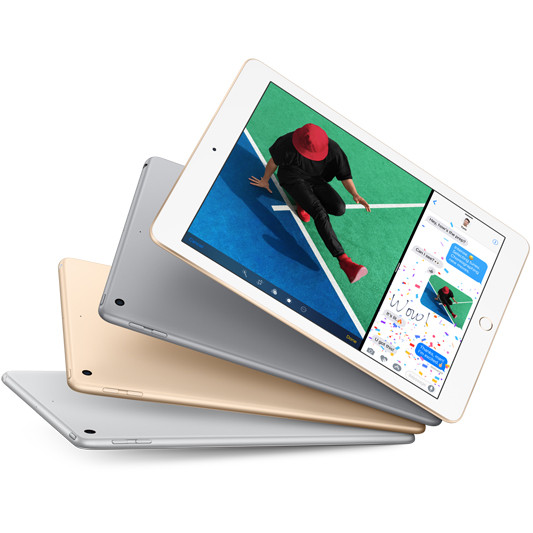
iOS: Apple can’t be faulted for vaulting the tablet market into the mainstream with the release of the iPad, and chances are if you are an iPhone user, then you would be looking to an iPad or iPad Mini as your large screen companion. If you’ve used iTunes and the App Store, then you can easily access apps you’ve already purchased, watch and listen to shows and music you’ve bought, and all under the same easy to use operating system as the iPhone. Even if you are a Google services user, if you’re inclined to look at the iPad you’ll be happy to know that most Google Apps are available in the app store and will sync with your Google Account.

As you can see, all three platforms have their distinct character and user experience – Windows with its familiar desktop and program ability, Android with its deep Google services offering and Apple’s iOS with it’s familiar and reliable interface and iTunes/App store content offering bar none. Have a great weekend!

Dashcam – The In Car Security Revolution

If you’ve ever had a prang, or come back to your car park spot after shopping to find an unexplained dent, then you’ve probably wished you could easily have captured the moment. Now you can, with a new kind of product called the “dashcam”.

Dashcams are in car cameras that allow you to retain video evidence of any incident on or around your vehicle. Think of it as a “black box” for your car. Dash cameras are quite inexpensive but can be very useful, and not just for recording accidents, a function which has provided Dashcams with the “crashcam” label. Let’s have a look at the different functions that a Dashcam could have, depending on their features.

Protection against fraudulent insurance claims: While we’re not suggesting that Dashcams are admissible in court or are recognised by insurance companies, merely having the record of an accident or minor collision are enough to deter would be fraudsters from making a false claim against you.

“Away from car” security: Some dashcams have proximity sensors, activating the dashcam recorder if it feels a bump or sudden movement even when it’s in standby mode. Like having home cameras, having a record of an incident while you are absent may help mitigate insurance issues.

Driving monitoring: If you wear a pedometer or a sports watch, chances are you’ll be more likely to walk or run further and keep looking at your performance. The same applies to dashcams – install this in your car and activate it when you’re lending your car to a younger driver, such as your teenage son or daughter, and it will be more likely that they will obey the road rules and drive in a more careful manner. Knowing that you will be able to observe their driving habits later will constantly remind them to drive safe.

Capture world events: In Russia, a meteor shower was captured by numerous amounts of dashcams, and were instantly uploaded to YouTube and broadcast around the world. You too can be part of this global phenomenon – you never know when something spectacular might happen right in front of your… well, dashboard!

It seems we’re living in a POV or “point of view” world and dashcams are part of that revolution. Join in now! Here’s a couple of products to check out if you’re interested: http://www.binglee.com.au/uniden-igocam800-accident-cam-vehicle-recorder http://www.binglee.com.au/uniden-igo-cam-300-accident-cam-vehicle-recorder

GoPro – Not Just For Extreme Sports

GoPro is the camera that has taken the world by storm. By now most of us would have seen the incredible first person perspectives of people jumping out of planes, skiing down incredible slopes and driving (and drifting) on the fastest race tracks. But as much as we would aspire to be that extreme sports person, not all of us are equipped, or have the desire to cheat death for a great YouTube video. But it doesn’t mean that we can’t use the GoPro in some creative ways.

We’ve heard some great stories of GoPros being strapped on pet dogs, or on our children’s heads while they run around. It’s actually interesting to see the world from a kid’s perspective – they seem to look up at the world and at us, a lot. In fact GoPro and action cameras in general, are one of the biggest growing camera categories.

The ability to simply capture, edit and share with very little hassle, along with the Facebook and YouTube services, has made the humble action camera a necessity for any traveller, bike rider, bush walker or anyone with an active lifestyle. So if you’re looking at a GoPro and wondering just how you would use it, here a short video of a new GoPro Hero 3 Silver Edition strapped to the top of a remote control car. Once the car is off and running, the low road perspective of the camera provides a unique view of the remote control car… and then you see some giant legs going past, and it all makes sense! The best way to watch this, and most GoPro content, is to watch in HD, so make sure you change the video quality to 720p or 1080p. For more information, visit http://www.binglee.com.au/gopro